


{{goods.model}}
Learn Your CNC Visits CATEKCNC: Connecting CNC Machine Manufacturing with CNC Training
For many CNC users, the value of a machine lies not only in its ability to cut materials. More importantly, it lies in how the machine handles the entire workflow—from design and software development to toolpath creation and actual machining. For a team that works closely with CNC training and software education providers, understanding the machine itself is a crucial part of grasping the entire process.
On July 30, 2026, the team from Learn Your CNC—a U.S.-based CNC education and training platform—visited the CATEKCNC factory for an in-depth tour and technical exchange. Learn Your CNC is dedicated to helping CNC users learn how to operate CNC machines, understand machining processes, and use various software programs, including Aspire and other Vectric software.
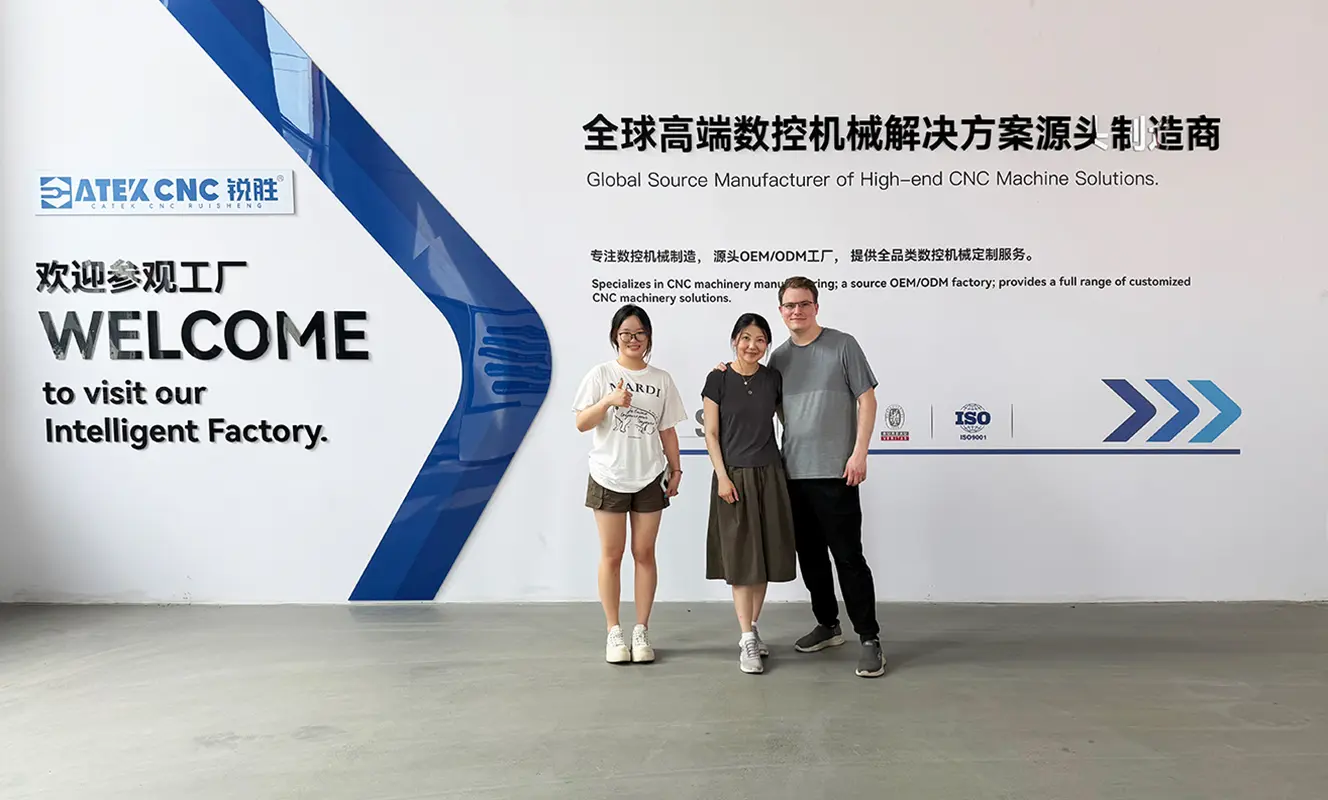
As a professional CNC machine manufacturer, CATEKCNC specializes in CNC routers, CNC wood lathes, and CNC equipment customized for various applications.
This visit was more than just a routine factory tour. The Learn Your CNC team sought to gain a deeper understanding of the manufacturing, assembly, testing, and practical machining applications of CNC router machines. At the same time, the visit provided an opportunity for them to explore how digital designs and toolpaths created in CNC software are ultimately transformed into physical products by CNC machines.
I. About Learn Your CNC
Learn Your CNC is a U.S.-based CNC education and training platform dedicated to helping CNC users develop practical skills. Unlike companies that primarily focus on selling CNC equipment, Learn Your CNC places greater emphasis on how people actually learn and use CNC technology.
A CNC machining project involves more than just turning on the machine. Users need to start with the design, determine how to machine the material, select the appropriate cutting tools, create toolpaths, set up the workpiece, and finally send the machining file to the CNC machine. For beginners in CNC machining, each step can be a learning experience. This is precisely where the value of the “Learn Your CNC” training method lies. Its curriculum focuses on practical CNC workflows, not only teaching users how to operate the machine but also helping them understand how the various stages of a CNC project work together.
Key components of the training include Aspire CNC training and Vectric software training. Aspire can be used to create 2D designs, 3D models, relief carvings, and more complex CNC projects, and then generate the toolpaths required for machining. For users engaged in woodworking, 3D carving, decorative arts, and custom projects, this type of software serves as a vital bridge between creativity and the finished product.
Learn Your CNC Official Website
This naturally links Learn Your CNC with CATEKCNC. While Learn Your CNC focuses on helping users understand how to use CNC technology to complete projects, CATEKCNC specializes in manufacturing the CNC routers that make these projects possible. One focuses on CNC machine education, software, and users, while the other focuses on machine design, manufacturing, and actual machining. This visit brings these two perspectives together in a real-world production environment.
II. Learn Your CNC: Why Visit CATEKCNC?
For Learn Your CNC, this was more than just a traditional factory tour. As a company specializing in CNC training, CNC project education, and software guidance, the team works closely with users to help them understand not only how to design projects but also how to transform digital designs into finished products.
Therefore, a visit to a professional CNC router manufacturer is essential. By observing the machine’s production process and discussing practical applications with the CATEKCNC team, Learn Your CNC can gain a deeper understanding of the hardware behind the CNC workflows they teach.
1. Understanding CNC Machine Manufacturing
For most CNC machine users, CNC routers are delivered as finished products. They see the frame, spindle, control cabinet, and worktable, but may not have many opportunities to understand how these components are assembled during the manufacturing process.
At CATEKCNC, the Learn Your CNC team was able to view the manufacturing process from different angles. This visit gave them the opportunity to gain a deeper understanding of the structure of CNC router machines and to explore the functions of key systems—such as the machine structure, moving parts, spindle, drive system, and CNC control system.
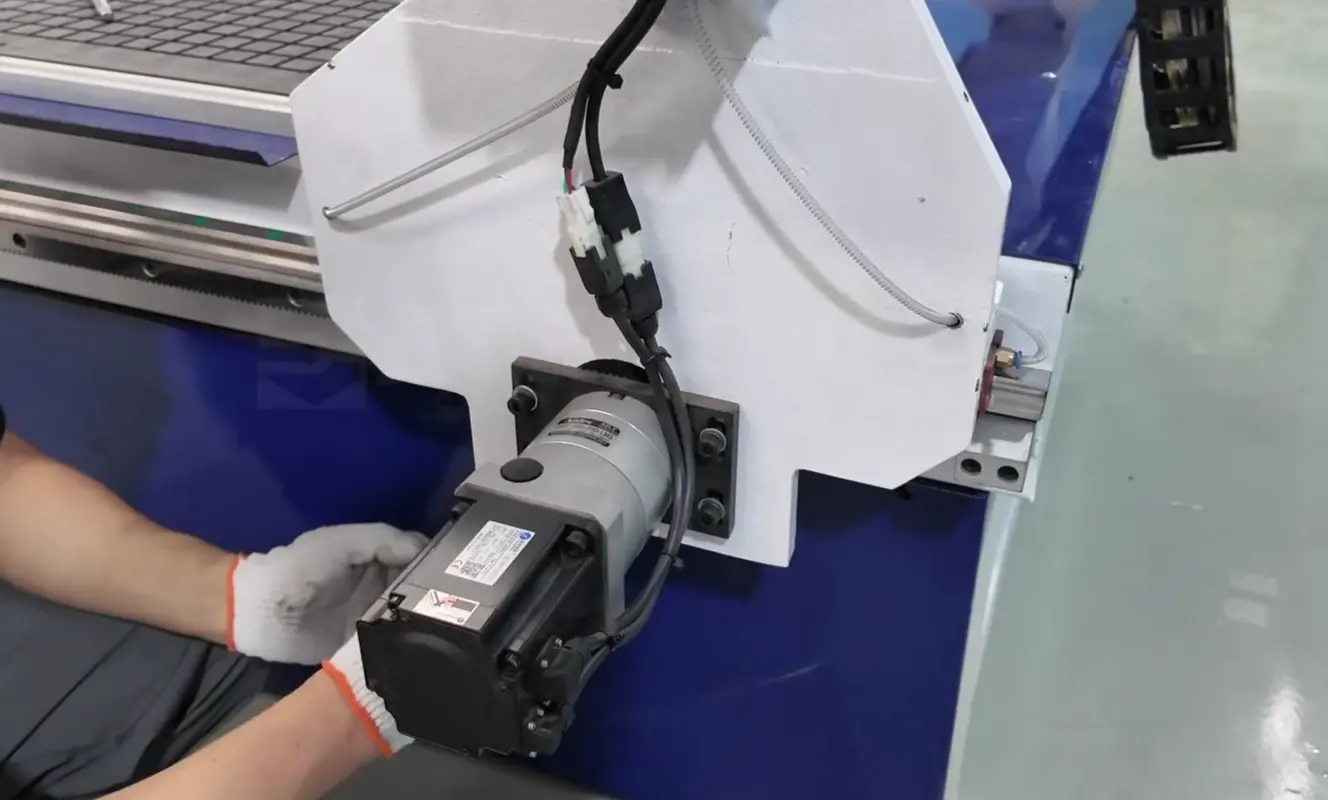
A stable machine structure, a reliable motion system, and an appropriate spindle configuration all influence a machine’s ability to consistently execute preset toolpaths. These factors become particularly important when users transition from simple cutting to fine engraving, 3D engraving, or more complex production tasks.
For CNC router manufacturers, these details are part of their daily machine R&D and production. For CNC training companies, observing these details provides a deeper level of understanding that cannot be gained from machine spec sheets alone.
As a result, this visit gave Learn Your CNC a deeper insight into the manufacturing process of CNC engraving machines before they reach end users’ workshops, schools, makerspaces, or production facilities.
2. Connecting CNC Software to the Actual Machine
For the Learn Your CNC curriculum, software is only one part of the CNC machining process. A project may begin with a drawing, 3D model, or relief design in Aspire or other Vectric software, but the final product still depends on how the CNC router machine executes that file.
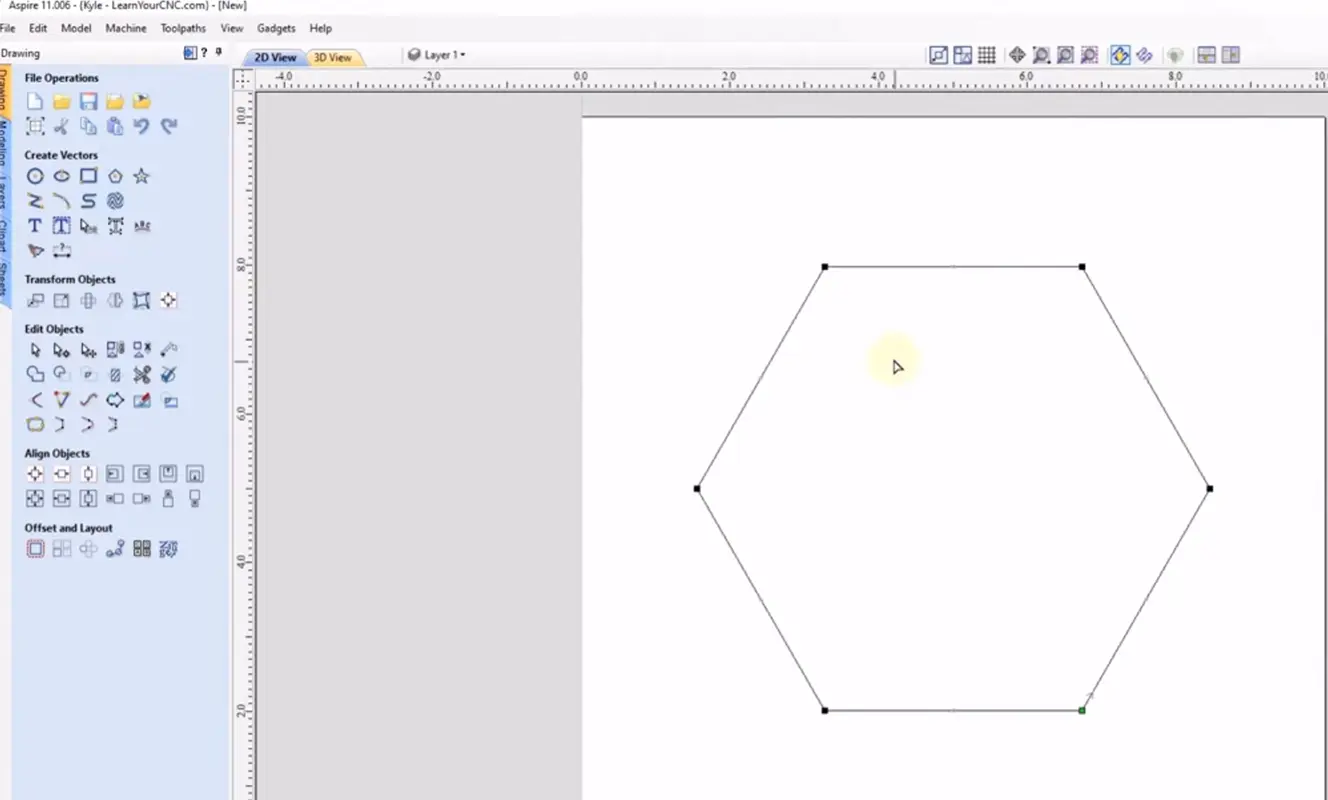
This was one of the most practical aspects of the visit to CATEKCNC. The Learn Your CNC team was able to discuss the machining process with the CNC router manufacturer and understand how the machine operates once the toolpaths are generated. For example, a user might design a wooden sign in Aspire, set the toolpaths, and prepare the file for machining. Once the file is loaded into the CNC control system, the CNC router machine must precisely execute these programmed movements. The spindle, drive system, X/Y/Z axes, workholding fixtures, and other key components all play a role in the machining process.
Toolpaths may look correct on a computer screen, but the final result is not determined solely by the software itself. Materials, cutting tools, spindle speed, feed rate, and machine configuration all influence the final product. For teams involved in CNC training and software instruction, being able to discuss these details directly with CNC router manufacturers provides a clearer understanding of the issues that arise during the actual machining process.
This visit also gave CATEKCNC the opportunity to hear directly from a team that works closely with CNC users, gaining a better understanding of their practical needs regarding software training, project setup, and machine operation. In short, “Learn Your CNC” focuses on software and training, while “CATEKCNC” focuses on CNC machine and manufacturing.
III. Tour of the CATEKCNC Production Facility
The factory tour gave the “Learn Your CNC” team a fresh perspective on CNC routers. They learned how CATEKCNC manufactures machines for different applications, why machine configurations vary, and how the equipment is tested before being delivered to customers.
1. Understanding CATEKCNC’s CNC Machine Manufacturing Capabilities
The “Learn Your CNC” team learned about the main components of CNC router machines, including the gantry, worktable, motion system, spindle, drive components, and control system. More importantly, the discussion focused on how these systems are selected and configured based on the type of work customers need to perform.
For example, an engraving machine primarily used for producing signs and flat wood panels has a different configuration than a machine designed for 3D engraving or continuous production. Factors such as the work area, gantry height, spindle power, axis configuration, workpiece clamping methods, and tool-changing requirements all influence the final machine design.
As a CNC router machine manufacturer, CATEKCNC goes beyond simply producing standard equipment. The company is able to tailor machine configurations to meet customers’ specific application needs—whether it’s a CNC wood router for woodworking, a four-axis CNC router for rotary and 3D machining, or an ATC CNC router for projects requiring multiple cutting tools.
For Learn Your CNC, seeing these differences firsthand on the factory floor made the relationship between machine configurations and actual CNC applications much more concrete.
2. Understanding Different CNC Engraver Configurations
The variety of machines on the production floor also gives customers the opportunity to compare several CNC router machine configurations from an application perspective.
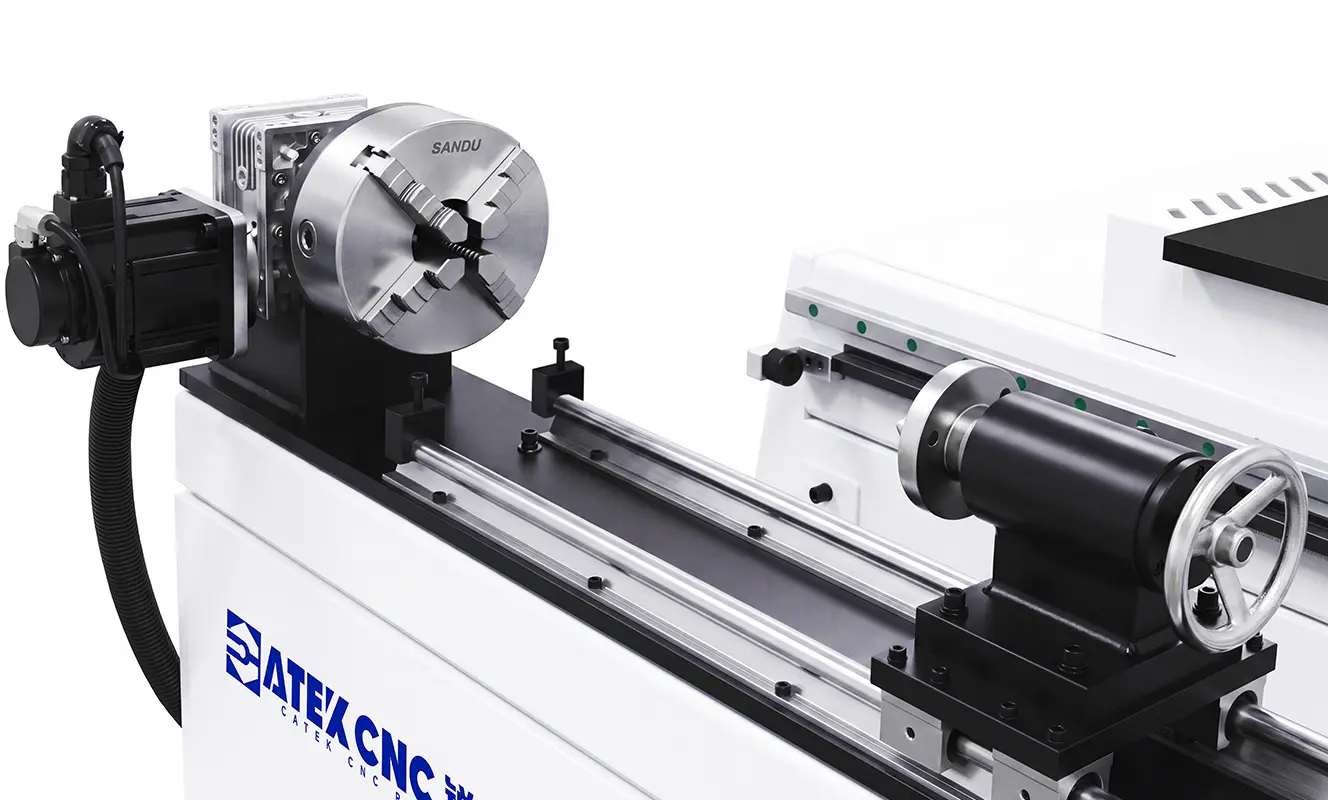
For many everyday projects—such as signs, panels, furniture components, engraving, and decorative work—a standard 3-axis CNC woodworking router is a practical choice. When projects involve cylindrical workpieces or more complex 3D engraving, a rotary fourth axis can provide capabilities that standard flat-bed machines cannot achieve.
The same principle applies to automatic tool changers. For workshops producing complex parts, manually changing tools disrupts the workflow. CNC routers with automatic tool changers can use different tools within the same machining task, making them better suited for applications involving roughing, finishing, engraving, drilling, or other multi-tool operations.
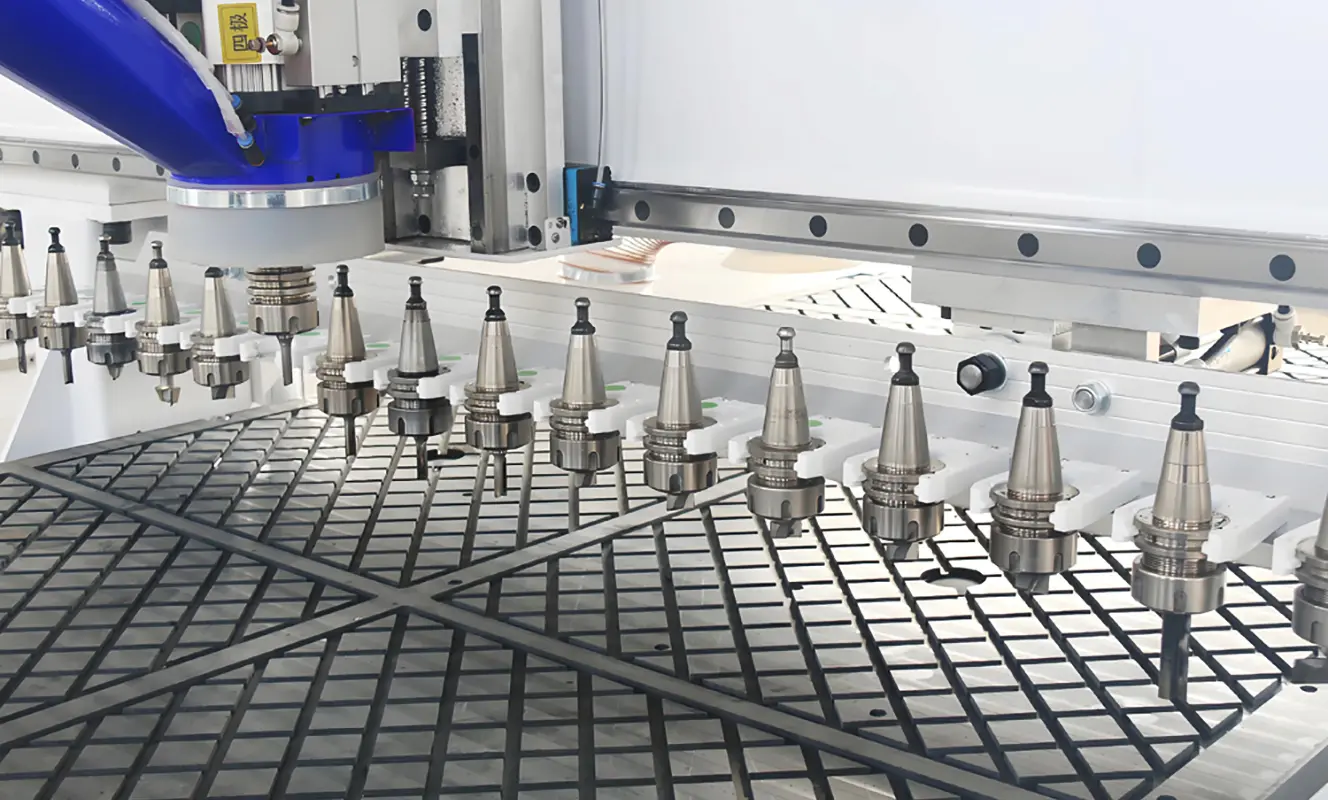
Rather than simply comparing which machine is “better,” the discussions during this visit focused more on which machine is better suited for a specific job.
3. From Machine Manufacturing to Complete System Testing
Understanding the machine production process is only part of the picture. The “Learn Your CNC” team also had the opportunity to learn about all the processes that take place before a machine leaves the factory.
Once assembly is complete, a CNC router must be inspected as a complete system, rather than as a collection of individual components. The motion system, spindle, control system, electrical components, and other major parts must all work together to achieve the intended results.
More importantly, the machine must be tested through actual operation. This is precisely where the factory tour ties directly into the types of CNC machining taught in the “Learn Your CNC” course. A machine’s specifications on paper may be perfect, but what ultimately matters to the user is the machine’s actual performance when the spindle begins cutting after a toolpath is loaded.
By observing the entire process—from machine assembly and configuration to actual machining tests—the “Learn Your CNC” team gained a more comprehensive understanding of what happens to a CNC router before it reaches the end user’s workshop.
IV. Linking CNC Router Manufacturing with Training on Aspire and Vectric Software
When it comes to Aspire and Vectric software, the connection between CATEKCNC and Learn Your CNC becomes particularly interesting. Learn Your CNC is dedicated to helping users make more effective use of these programs, while CATEKCNC focuses on the machine tools on which users ultimately run these programs. Therefore, during a tour, discussions can go beyond the basic question of how the software generates toolpaths and focus more on how the software’s capabilities influence the selection and use of CNC machines.
CNC projects can vary greatly depending on the type of engraving machine available. Users creating simple 2D signs may only need a standard 3-axis CNC router. Users producing intricate 3D relief carvings, on the other hand, may have different requirements for spindle performance, machine rigidity, and cutting precision. Rotary machining projects require an entirely different machine configuration.
When Learn Your CNC teaches users how to create specific types of projects in Aspire, there is a practical question underlying it: What type of CNC machine is needed to produce that project?
The answer depends on the project itself.
The machine configuration for basic woodworking does not need to be exactly the same as that for complex 3D carving. Similarly, customers producing more complex projects may have different requirements for ATC CNC routers, rotary axes, work areas, or gantry heights.
For CATEKCNC, these differences are part of the machine customization process. For Learn Your CNC, they help users understand the capabilities of the equipment.
V. The Complete CNC Machining Process
Before the spindle starts, several steps must be planned and prepared.
For a typical woodworking project, the process may begin with designing in Aspire or other Vectric software. The user creates the design, determines how the material will be cut or engraved, and prepares the toolpaths. The machining file is then ready for use on the CNC machine. However, this marks the end of the computer-aided portion of the process, and the actual machining begins.
The material must be positioned on the machine and securely clamped. The operator sets the workpiece origin, installs the required cutting tools, and checks the machining parameters before starting the process. The CNC system then reads the file and controls the movement of the machine’s axes and spindle. The final physical product is the realization of what was originally created as a digital design.
For basic signs or panels, the machining process may be relatively simple. More intricate 3D engraving may require multiple toolpaths and different cutting tools. Cylindrical projects may require a rotary fourth axis, while production runs using multiple cutting tools can benefit from a CNC router with automatic tool change.
This is why the CNC machine itself is so crucial throughout the entire workflow. The software determines how the project is prepared, but the machine must be properly configured to carry out these tasks.
During the tour, the “Learn Your CNC” team gained insight into this process from the manufacturing perspective. Software, machines, and finished products are not isolated components; seeing how they work together in an actual CNC workflow:
Design → Toolpath → Machine Setup → CNC Machining → Finished Product
For CATEKCNC, this is the daily process behind their production machines. For Learn Your CNC, observing this process directly on the factory floor provided another real-world perspective on the CNC workflow they explain and discuss with their users.
VI. Looking Forward to Continued Exchange in the CNC Field
The visit by Learn Your CNC provided both teams with the opportunity to gain a broader perspective on CNC machining. From the production floor and machine assembly to machining demonstrations and discussions centered on Aspire and Vectric software as well as practical CNC applications, this visit brought together all stages of the CNC machining process.
For Learn Your CNC, this was an opportunity to gain a close-up look at the equipment used in its CNC projects and training programs. For CATEKCNC, it was a chance to exchange ideas with the U.S. team, which works closely with CNC users to understand their practical needs. CATEKCNC looks forward to staying connected with Learn Your CNC and continuing the exchange of ideas around CNC machines, software, training, and real-world machining applications.