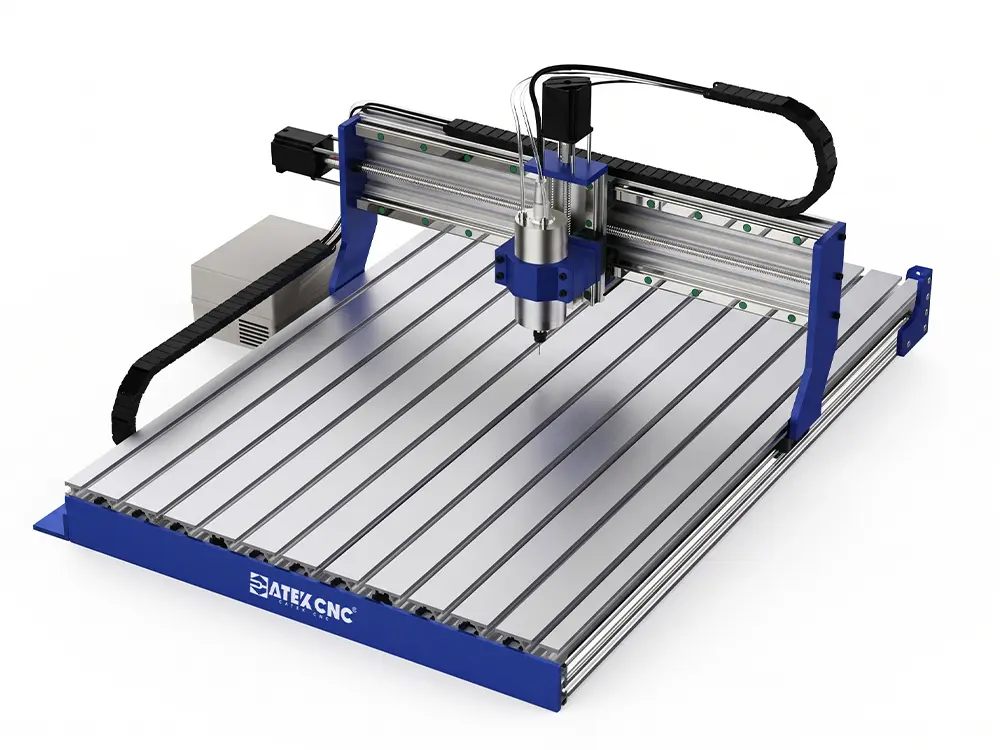
Mini CNC Router for Beginners and Hobbyists
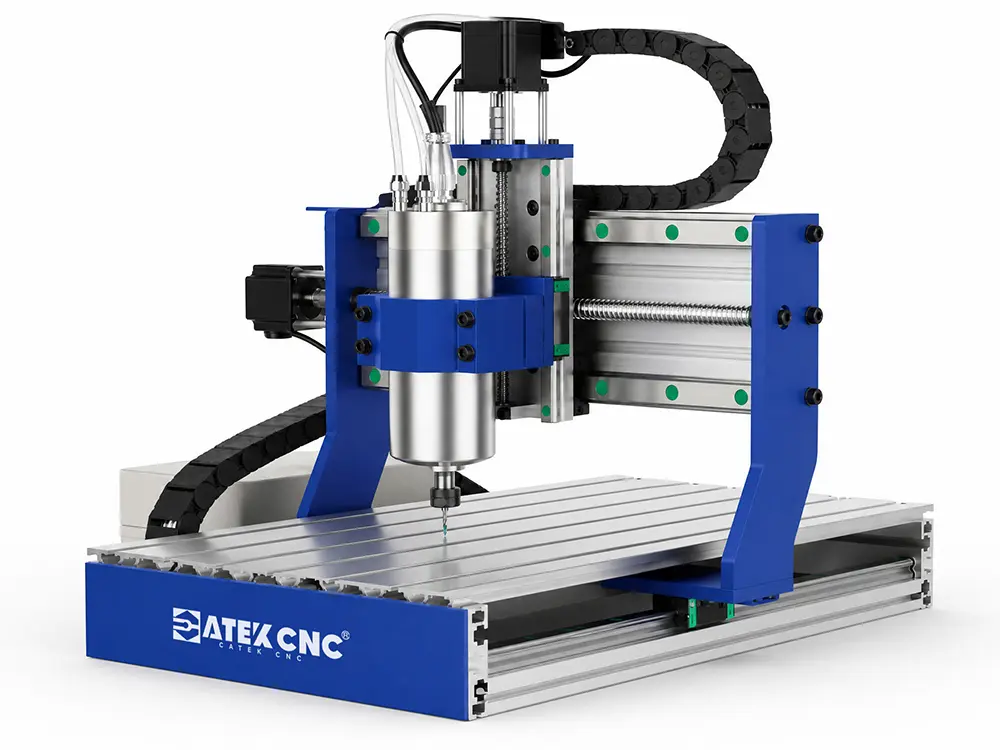
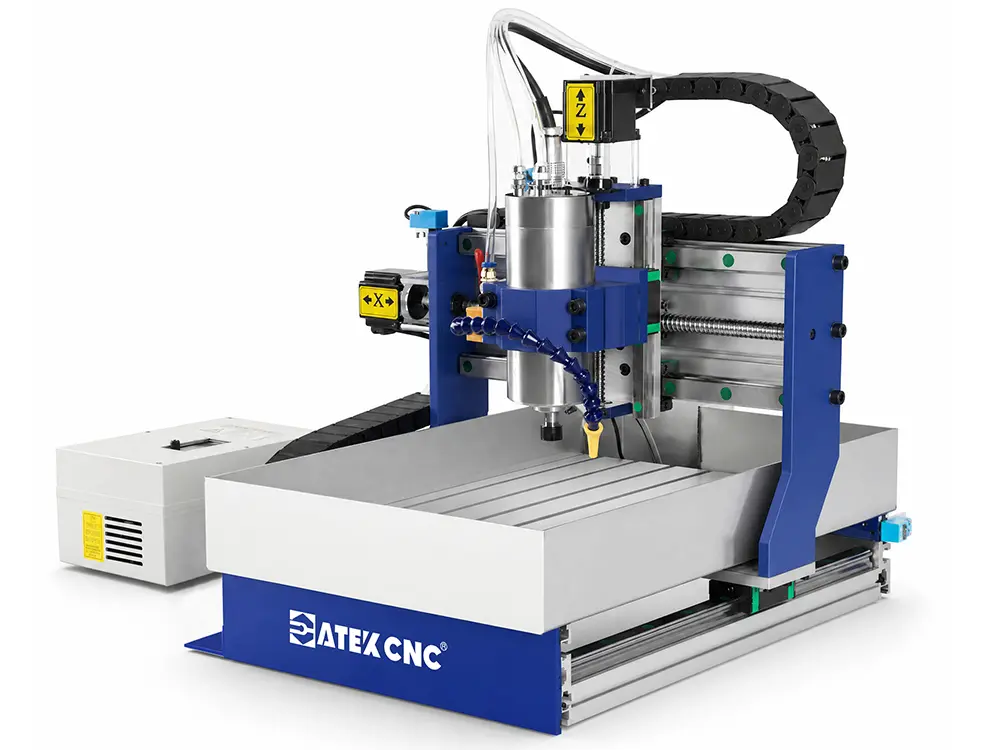
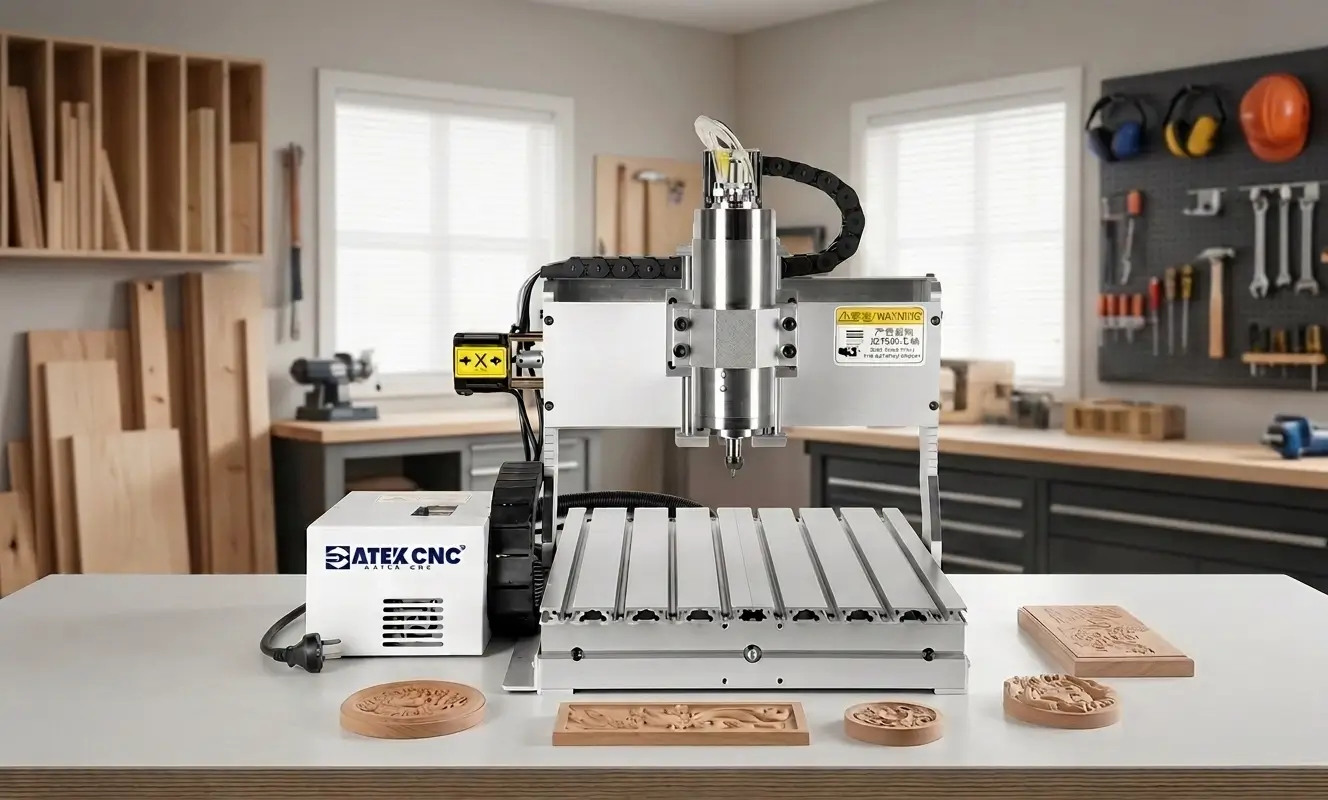
Mini CNC routers has a relatively small size and is usually equipped with a small T-slot worktable, with some machines adopting a desktop design without a base. These machines occupy a small floor area, making them suitable for production factories or personal studios processing materials under 4*4 feet, used for cutting advertising letters, engraving small decorative panels, etc. Their price is also very affordable, catering to users with limited budgets. CATEKCNC's mini CNC routers can be optionally equipped with components such as a fourth rotary axis, vacuum table, dust collection device, automatic tool changing kit, etc., with DSP handheld and PC controller options available. If you are considering purchasing the best mini CNC router in 2026, CATEKCNC is worth your consideration.
-
Mini CNC Router Suitable For Small Woodshop and Beginners
-
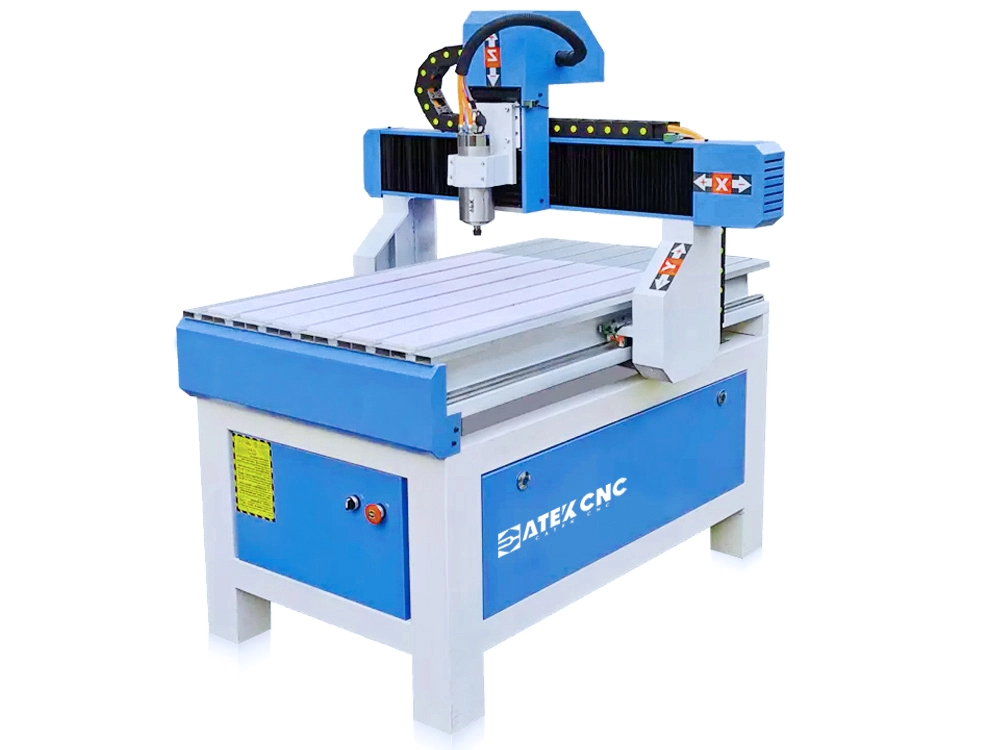
CK-6090
-
5.0(8)
This is a mini CNC router that's affordable, compact, and perfect for personal studios or small workshops to process items like signage, crystal letters, and wood carvings.$1,400.00~$2,570.00 -
-
Small Linear ATC CNC Router with Vacuum Adsorption
-
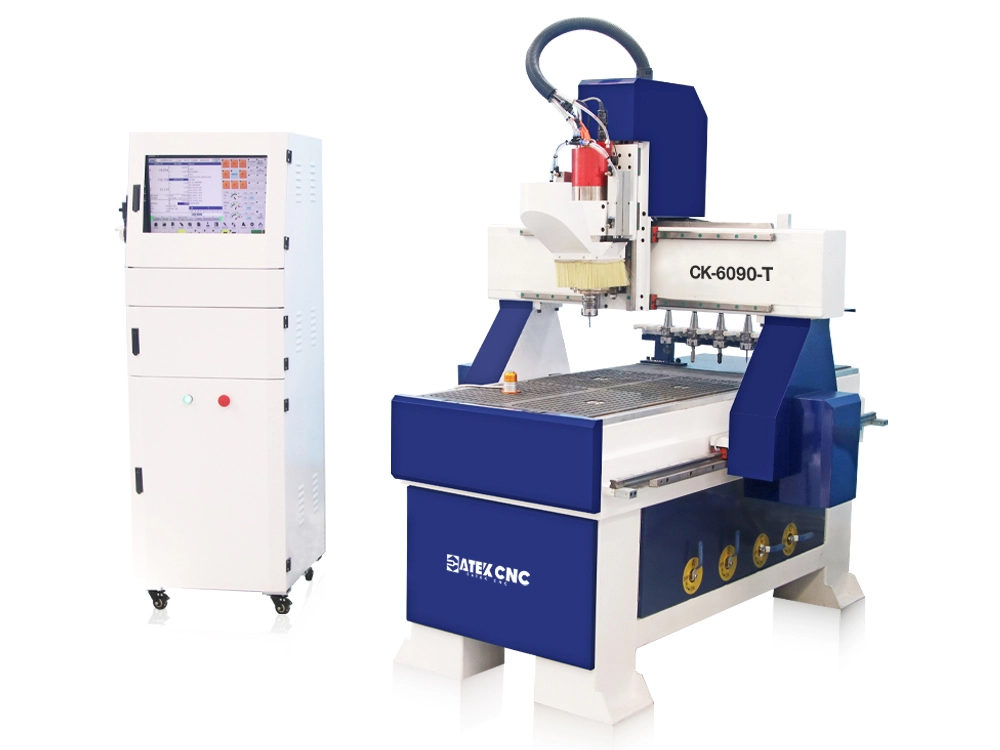
CK-6090-T
-
5.0(3)
This is a small CNC router with vacuum & T-slot worktable and 6-capacity linear ATC system, and especially suitable for engraving advertising signs.$6,850.00~$9,850.00 -
-
Small Dual-Process CNC Wood Router with Two Switchable Spindles
-
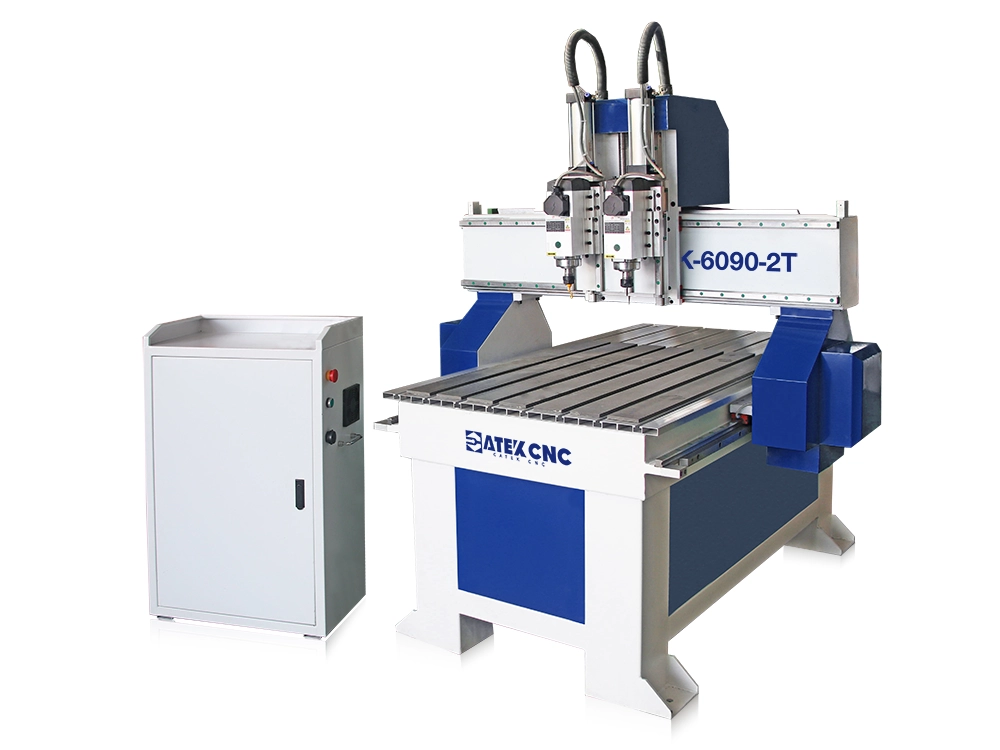
CK-6090-2T
-
5.0(1)
This is a small CNC wood router with a 600*900mm worktable, equipped with two switchable spindles, for processing small wooden products such as jewelry boxes, food molds, and signage.$3,280.00~$4,680.00 -
-
3x5ft Small CNC Router Machine with Flood Cooling
-
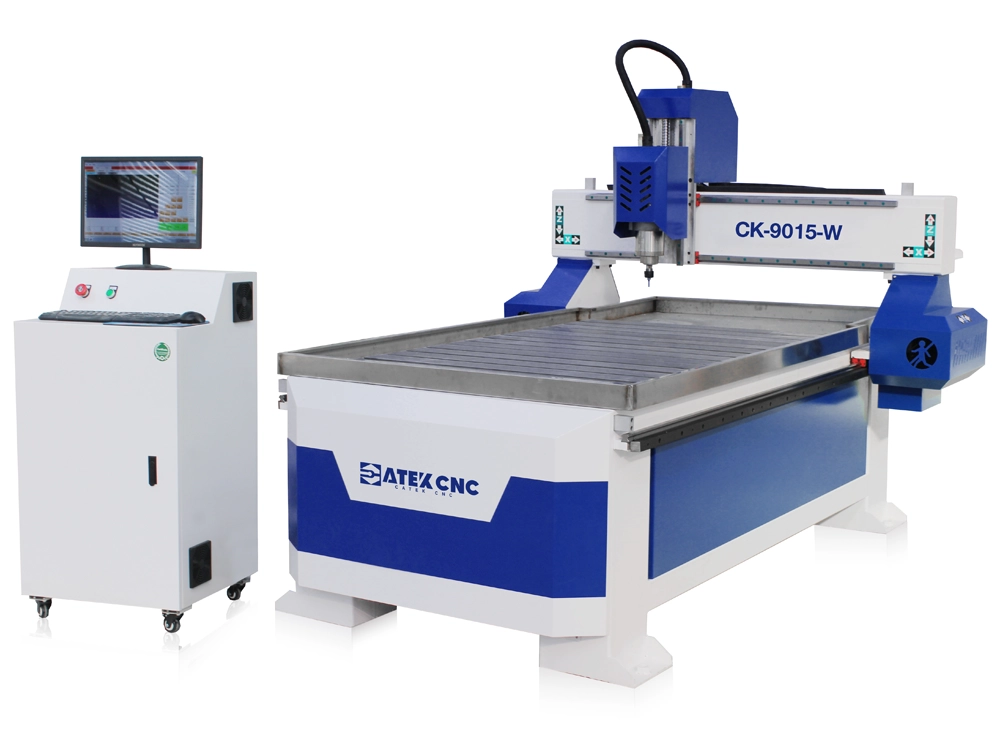
CK-9015-W
-
5.0(4)
This compact CNC router features a flood cooling system and water-cooled spindle, making it suitable for processing hardwoods, epoxy resin, stone, soft metals, and other materials.$2,180.00~$3,680.00 -
THE FOLLOWING ARTICLES MAY HELP YOU
-
CNC Router
How to Choose the Right Desktop CNC Router Machine for Your Applications?
In production workshops, the demand for flexibility is growing ever higher. Whether you're manufacturing wooden components, cutting acrylic signs, processing plastics, or producing lightweight aluminum parts, desktop CNC router machines deliver efficient production solutions.Compared to large industrial CNC router, desktop CNC router offers more portable installation, more affordable pricing, and greater adaptability. Desktop CNC router machine is better suited for hobbyists, small workshops...
-
CNC Router
How to Select the Milling Tools for CNC Wood Router?
A milling tool is a cutting tool with a cylindrical shape, featuring cutting edges on its circumference and bottom, which performs rotational motion to cut and machine workpieces.The milling tool family is very extensive. Together with hole-making tools (drills, reamers, taps, boring tools, etc.), they cover almost all commonly used processing tools on CNC wood router machines.Types of Milling ToolsMilling tools can be classified into various categories based on different criteria. Below are sev...
-
CNC Router
Best CNC Router for Woodworking in the USA
CNC routers have become core equipment for enhancing production efficiency and processing quality in the modern woodworking industry. For American woodworking enterprises, whether in custom furniture manufacturing, cabinet processing, decorative material cutting, or intricate wood product engraving, selecting high-performance CNC wood routers can significantly improve production workflows, reduce labor costs, and elevate product precision and processing consistency.This article provides a compre...
HERE ARE SOME RELATED VIDEOS OF CNC MACHINES
-
00:58
CNC RouterSep 24, 20252x3ft Linear ATC CNC Router Machine with Vacuum Table
The video demonstrates the process of engraving a logo on a board using a 2x3ft mini linear ATC CNC router machine with vacuum adsorption.
HERE ARE SOME FUN PROJECTS FOR CNC MACHINES
-
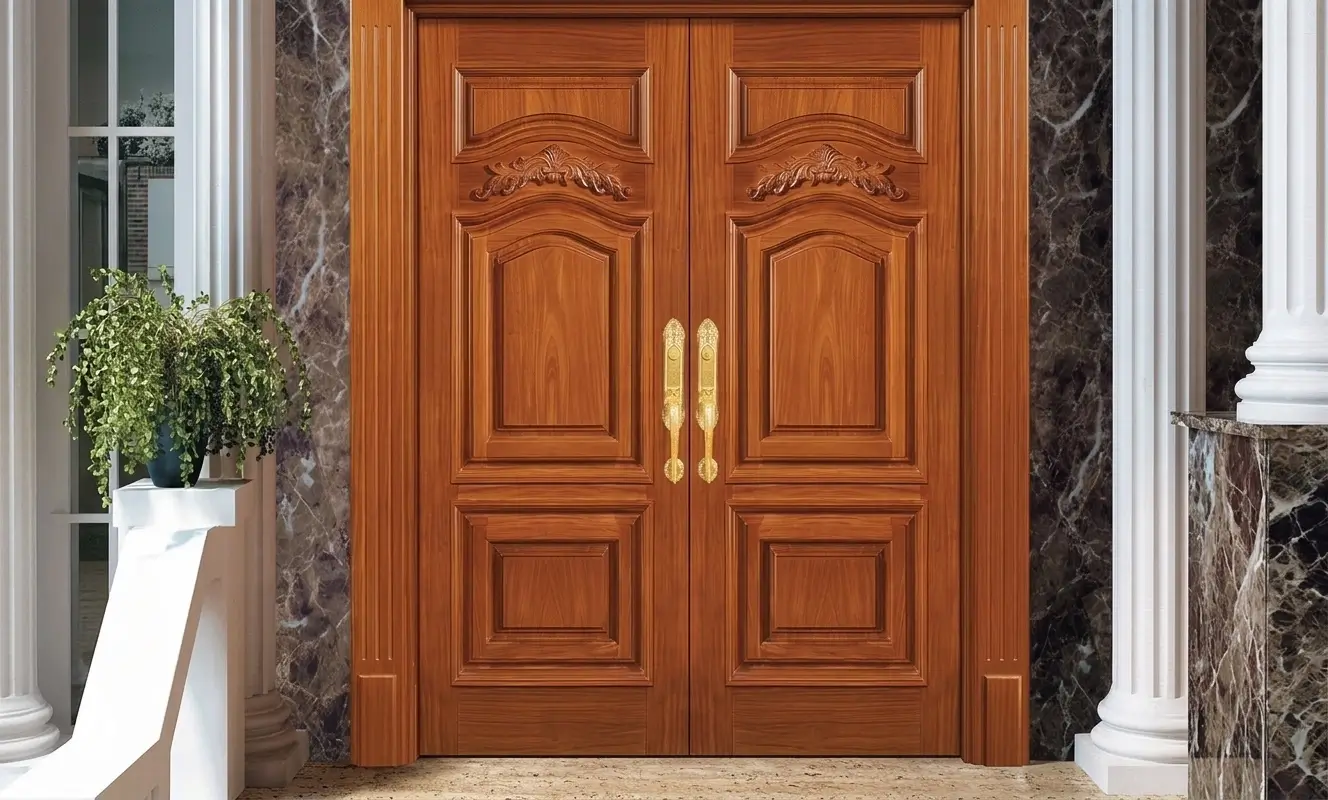
CNC RouterProduce Chinese-Style Wood Door Using a CNC Router Machine
Chinese furniture is loved by some people for its solemn, simple, harmonious and elegant style, but its complex carvings and strict symmetrical aesthetic requirements make its processing more complicated. Now, with the help of CNC routers, you can save effort and complete the production of Chinese furniture quickly, and the production quality and consistency of mass production far exceed traditional manual labor.
-
CNC RouterCabinet Manufacturing Project Using 2130 Linear ATC CNC Router
In modern furniture manufacturing, improving efficiency and machining accuracy is essential for cabinet factories and panel furniture producers. This project introduces the use of a 2130 Linear ATC CNC router in cabinet production, showing how an automatic tool change CNC router can complete cutting, drilling, grooving, and engraving in one cycle.With a large working area, vacuum table, and high-speed spindle, the ATC CNC router for cabinet making allows manufacturers to process MDF, plywood, pa...
-
CNC RouterHow This 4-Axis ATC CNC Router Transforms Panel Furniture Production Efficiency
This project focuses on upgrading a panel furniture production line by introducing a fully integrated 4-axis ATC woodworking CNC router machine with automatic labeling and drilling functions. The goal was to replace a traditional multi-machine workflow with a more efficient, single-machine solution.By implementing this advanced CNC router for woodworking, the factory successfully streamlined its entire process, from labeling and cutting to drilling and output, while significantly reducing manual...
MINI CNC ROUTER BUYING GUIDE FOR AMATEUR BEGINNERS
Do you want to DIY some wooden crafts in your spare time or buy a small CNC router to start a studio to make badges, advertising words, signs, crafts, or carving reliefs, cutting products of various shapes? As a beginner entrepreneur or amateur, it is exciting to have such a machine, which means that our ideas and creativity can be realized through our own design programming. The main features of this type of product are small footprint, light weight, simple operation, low price, and plug and play. We provide a variety of machines with rich functions for you to choose from. Although the machine is small, the creativity is unlimited.
Introduction of Mini CNC Router Machine
Small routers are a type of machine designed specifically for amateurs, families, small and medium-sized studios or factories. In terms of basic functions and working principles of the machine, it is not much different from the industrial router. A variety of configurations can also be selected, but the design of the machine structure will be more compact. We also use a lot of aluminum alloy materials to make it as lightweight as possible while ensuring the structural strength for easy transportation and movement. In terms of CNC system and programming software, we use a self-developed improved version of the simplified system. The operation interface is simple and easy to understand, and non-professionals can quickly learn and use it. Users can choose different body materials (cast iron, aluminum alloy, square tube, etc.), spindles, cooling systems, rotating axes, table clamping types, servo motors, etc. Although this type of router is entry-level, we fully follow the industrial standards in terms of accessory quality and assembly process to ensure the durability, precision, and processing effect of the machine. And we will provide free design and programming software and detailed tutorials to help you from entry to mastery.
Type of Mini CNC Router Machine
The basic configuration of entry-level small routers is a three-axis machine, namely the X-axis (horizontal left and right movement), the Y-axis (horizontal forward and backward movement), and the Z-axis (vertical up and down movement).
There are usually two types of control. DSP handle: directly connected to the machine, it can be independently controlled after transferring the drawings to the handle via a USB flash drive, but the function is relatively simple. Control card: built into the chassis, connected to the computer via a data cable, and operated and controlled using the corresponding software.
Classification by Processing Materials
-
Woodworking router: mainly used for wood engraving, including hardwood, cork, artificial board, fiberboard, etc.
-
Metal router: specially used for metal engraving, suitable for metal materials such as iron, copper, aluminum, stainless steel, etc.
-
Stone router: mainly used for stone engraving, including marble, jade, artificial stone, ceramic tile and other materials.
-
Multi-function router: this type of router is suitable for a variety of materials, such as wood, plastic, acrylic, PVC, glass, soft metal, etc.
Classification by Power:
The power of machines for engraving wood products is generally 800W-1500W, the power of machines for multi-material engraving is generally 1500W-2200W, and the power of machines for processing metal and stone is usually 2200W-5500W.
Classification by Size
The working table of small routers is generally 300*300mm (11.8*11.8''), 400*400mm (15.8*15.8''), 600*600mm (23.6*23.6''), 600*900mm (23.6*35.4''), 1200*1200mm (47.2*47.2'').
Classification by usage scenario:
Desk type, portable type, small desktop type.
Function Selection
On the basis of the ordinary machine configuration, we can also choose more router kits to enhance our machine, improve the convenience of use and expand the processing capacity.
-
Spindle power: You can choose the appropriate power size according to the actual use needs, including material, material hardness, processing type, etc. There are 800-5500W power options.
-
The fourth axis: When you need products that require 3D engraving, such as figure sculptures, handicrafts, etc., you can choose to add a 360-degree rotating axis to drive the material to rotate, and it can cooperate with the other three axes. You can choose a chuck type or lathe center to clamp the workpiece.
-
Vacuum clamping table: Although the machine is small, we can still choose a vacuum clamping table to help us fix the material with a flat surface. It uses negative pressure to firmly adsorb the material on the processing platform. It is usually used with a 2200W rotary vane vacuum pump.
-
Servo drive system: If you have high requirements for processing accuracy and processing effect, you can also choose a servo drive system to improve the performance of the machine. The motor power is usually between 200W and 750W.
What are the features of desktop CNC routers?
1.Compact design, suitable for a variety of workspaces
The most striking feature of a desktop CNC router is its small size. It does not require a large factory building or a heavy-duty foundation; it can operate on a standard desk or small workbench. This structural advantage allows it to fit easily into various settings, such as home workshops, small factories, design studios, and even school laboratories.
Standard working areas of 400x400mm and 600x900mm can maximize space efficiency while ensuring a sufficient processing range. For manufacturing businesses just starting out, this adaptability to limited spaces is crucial, making the small desktop CNC router a popular choice for those entering the world of industrial manufacturing.
2.High Machining Precision, Suitable for Fine and Repeatable Machining
Despite their compact size, high-quality desktop CNC router machines offer machining precision that rivals that of some industrial equipment.
By utilizing linear guide systems, ball screw mechanisms, and closed-loop control technology, these machines achieve stable repeatability, typically reaching a precision level of ±0.02 mm.
This high precision enables it to handle many intricate machining tasks, such as complex pattern engraving, small-part machining, precision slotting, model making, and PCB board processing.
For users requiring consistent performance, this precision stability is a key criterion for determining whether a desktop CNC router machine is professional-grade.
3.Capable of processing a wide range of materials
Modern desktop CNC routers have evolved from simple woodworking tools into versatile multi-material processing platforms.
Depending on spindle power and machine size, they can typically process:
-
Various types of wood (hardwood, MDF, plywood, etc.)
-
Acrylic and PVC materials
-
Aluminum alloy and brass (light cutting)
-
Carbon fiber composites
-
Engineering plastics and insulating materials
Therefore, it can serve not only as a desktop CNC wood router but also extend into the field of light metalworking, meeting the small-batch production needs of multiple industries.
4.High-speed spindle system
Most desktop CNC machines are equipped with high-speed water-cooled or air-cooled spindles, typically operating at speeds between 12,000 and 24,000 RPM.
The direct benefits of a high-speed spindle include:
-
Smoother cutting
-
Sharper engraving details
-
Better surface finish
-
Higher machining efficiency
-
Better suited for complex path machining
Especially in acrylic cutting and wood engraving, high-speed spindles can significantly reduce burrs and burn marks, improving the quality of the finished product.
5.Structural rigidity enhances machining stability
High-quality CNC equipment typically features:
-
Heavy-duty aluminum alloy or steel frame
-
Reinforced gantry design
-
Precision linear guides
-
High-precision ball screw systems
These structural elements work together to significantly reduce vibration and improve cutting stability. This is why there is such a marked difference between industrial desktop CNC router machines and ordinary, low-end equipment.
6.Easy to operate
Compared to large-scale industrial CNC systems, desktop CNC routers have a lower learning curve.
Typically equipped with:
-
A standalone control system or joystick controller
-
Standard G-code compatibility
-
One-click tool setting
-
Simple machining workflow management
-
Power-off resume and emergency stop protection
-
Even users with no prior CNC experience can quickly get up to speed with just a little training.
Application Scope
-
Crafts industry: photo frames, picture frames, key chains, packaging boxes, badges, hangtags, nameplates and other flat engraving products. After selecting the four-axis engraving function, it can also be used for the production of small 3D small products such as small ornaments, sculptures, figures, pendants, hanging ornaments, etc.
-
Advertising industry: It can engrave or cut LOGO, product patterns, simulation characters, three-dimensional characters, signboards, luminous characters, nameplates, coordinate plates, light boxes, etc. on various materials such as acrylic, wood, metal, etc.
-
Woodworking industry: Make wooden furniture of various styles and shapes, such as cabinets, wardrobes, bedside tables, sofas, three-dimensional wave boards, game console cabinets, panels, computer tables, furniture accessories, etc., and can also make musical instrument accessories.
-
DIY creative realization: According to your own creativity and needs, you can engrave personalized creative patterns such as characters, animals, landscapes, text, logos, etc. on different materials such as wood, bamboo, bones, stones, shells, metals, etc.
Configuration of Basic CNC Router
| Type/Material | Wood | Metal | Stone | Multifunction |
|---|---|---|---|---|
| Spindle Power | 1500W | 2200W | 3500W | 2200W |
| Spindle Type | Air-cooled, water-cooled high-speed frequency conversion spindle | Water-cooled high-speed frequency conversion spindle | Water-cooled high-speed frequency conversion spindle | Air-cooled, water-cooled high-speed frequency conversion spindle |
| Body Material | Aluminum Alloy | Cast iron + aluminum alloy | Thick wall square steel + aluminum alloy | Aluminum Alloy |
| Power Type | Stepper Motor | AC servo motor | Stepper Motor | Stepper Motor |
| Transmission Type | Ball Screw | High precision ball screw | Ball Screw | Ball Screw |
| Processing Accuracy | 0.1mm | 0.02mm | 0.07mm | 0.1mm |
| Cooling System | None | Circulating water cooling with stainless steel tank | Circulating water cooling with stainless steel tank | None |
| Optional Configuration | Dust collector, fourth axis, vacuum clamping table | / | The fourth axis | Dust collector, fourth axis, vacuum clamping table |
| Price Range | $1150-2570 | $3280-6500 | $2150-4000 | $1450-4000 |
Why Many Compact CNC Routers Struggle in Real Production?
On the surface, most compact CNC machines look very similar. Many advertise high spindle speeds, aluminum frames, or “precision engraving” capabilities. But once the machine enters real production, the differences between a hobby-level router and a professional desktop CNC router machine become impossible to ignore.
A machine may work fine for occasional DIY projects, but production environments demand something completely different - stability, repeatability, durability, and consistent machining quality over long working hours.
This is exactly where many low-cost compact CNC routers begin to fail.
During actual machining, weak machine structures often create vibration and instability, especially when processing hardwood, aluminum, or thicker materials. Even small amounts of vibration can lead to rough edges, inaccurate carving depth, poor surface finishing, and visible tool marks on the final product.
Another common problem is motion accuracy. Many hobby CNC router use lightweight guide systems or belt-driven transmission structures that gradually lose precision during repeated operation. Over time, users begin noticing dimensional errors, inconsistent engraving results, and alignment problems during multi-piece production.
Spindle performance is another major issue. Lower-quality spindles may appear powerful on paper, but under continuous load they often suffer from overheating, unstable speed control, excessive noise, and reduced cutting quality. When machining aluminum or dense hardwood, these limitations become even more obvious.
How to Choose a Mini CNC Router?
When purchasing a mini CNC router machine, many users initially focus only on price and working dimensions. However, what truly impacts the long-term machining experience is often the machine’s structural stability, machining capabilities, and whether it suits your actual business needs.
Different types of desktop CNC routers vary significantly in terms of configuration and intended use. Some are better suited for simple DIY engraving, while others are better suited for long-term commercial production. Therefore, before selecting a machine, we recommend focusing on the following key aspects.
-
First, we need to consider the material to be processed, such as metal, stone, wood, etc., and then choose different types of CNC routers. Metal and stone routers have a more solid mechanical structure and a larger spindle power, so their prices are usually higher than wood processing machines. However, these machines can process very hard materials, which means that they also have the ability to process non-metallic materials such as wood and plastic, and have a wider range of applications. You can choose machines with different mechanical structures based on your actual use needs and budget to avoid waste due to excessive configuration or insufficient processing capacity due to low configuration. If you only occasionally work with cork or simple acrylic, a standard hobby CNC machine may suffice; however, if you plan to process hardwood, aluminum, or engage in continuous production over the long term, we recommend choosing a machine equipped with high-rigidity linear guides, ball screws, and an industrial-grade spindle.
-
It is very important to choose the maximum table size and feed height of the machine according to the maximum size of your own product. If the processing format is too large, it will not only cause waste, but also increase space occupancy; if the format is too small, it may not meet the processing needs. A 400×400mm worktable is suitable for most small crafts, signage, and engraving projects, but if you anticipate processing larger materials in the future, it is advisable to consider a larger working area or an expandable solution in advance.
-
In terms of spindle power and motor selection, high-power spindles (2200W - 5500W) are suitable for long-term, high-intensity engraving operations; low-power spindles (800 - 1500W) are more suitable for lightweight fine engraving. As for the drive motor, if the product has high requirements for fineness, it is recommended to choose an AC servo motor with better precision control and more stable operation. At the same time, the selection of a higher precision ball screw can further improve the processing accuracy.
-
In terms of the choice of machine style, if you have a work platform, you can choose a desktop machine. This type of machine does not have a metal welding base underneath, and the ground feet are installed directly under the machine. The electrical components are usually integrated in a small box and connected to the machine through an aviation plug. It is very light and easy to move and carry. Table small routers are generally equipped with a base, and the electrical components are also integrated in it. Although the convenience of moving is not as good as that of desktop machines, its advantage is that it can be placed independently on the ground. It is also equipped with four adjustable height feet, so there is no need to worry about the uneven ground causing the machine to tilt or shake.
-
Additionally, you should evaluate the machine’s future upgrade potential. For example, does it support a fourth axis, an automatic tool changer, a dust extraction system, or a higher-power spindle? These expansion capabilities will directly impact your future business growth potential.
A desktop CNC router truly suitable for long-term use is not merely one that “can engrave”; it should also offer stable machining, continuous operation, and the ability to adapt to future production needs.
First Use Guide for Mini CNC Router
- Installation of the machine
-
After receiving the machine, unpack it and first check whether the parts are complete. The equipment is generally shipped as a complete machine, and the installation is relatively simple.
For desktop routers, connect the control chassis to the machine in the order of the labels, ensure that the aviation plug is plugged in tightly, and tighten the screws to prevent short circuits caused by virtual connection of the line.
For machines with DSP handles, the control handle needs to be connected to the wiring board inside the chassis and the screws need to be tightened to prevent it from loosening.
For machines with control cards, a computer needs to be prepared, and the control board needs to be connected to the computer using a data cable.
If the selected engraving spindle is a water-cooled spindle, a circulating cooling water pump needs to be connected, and a bucket or a tool box (our tool box can be used as a bucket) needs to be filled with clear and clean water to ensure that the water level submerges the pump.
The last step is to prepare the power supply.
- Power on and return to zero
-
Turn on the power switch of the router, and wait for the self-check of the inverter, driver and other electrical components inside the chassis to complete (the numbers on the screen no longer change) before starting the operation. First, click the "Back to Mechanical Origin" button in the control system. The machine will automatically adjust the coordinate axes (X, Y, Z axes) to the mechanical zero point. This step is critical to ensure that the router can accurately locate the coordinates in subsequent operations.
- Load the engraving tool and the material to be processed
-
Select the tool suitable for product processing, use the wrench provided by the machine to insert the tool into the tool holder and tighten it in place.
If you are using this type of machine for the first time, it is recommended to first use the engraving tip that comes with the machine and use the fine engraving drawings provided by the supplier to test the machine.
Fix the engraving material firmly on the processing platform to ensure that the material does not move or shake during the engraving process. Note: If you use a pressure plate to fix it, remember not to press on the engraving processing area, otherwise the engraving tool will be damaged.
- Load the engraving program and processing parameter settings
-
Load the designed drawing path into the CNC system, and then adjust the spindle speed and processing speed according to the hardness of the material and the processing technology to ensure processing safety and avoid damage to the tool and material.
It is recommended to adjust the spindle speed to the highest and the feed rate to 10%, and then gradually increase the engraving speed according to the processing situation. For the first processing, you can use the path simulation function to check whether the engraving path is correct on the computer; you can also do an empty process without loading the material first to observe whether the path is correct.
- Tool setting operation
-
According to the path generated by the design drawing, determine the processing starting point of the engraving, usually the four corners or center of the engraving pattern. Manually move the X and Y axes of the router to the processing starting point of the workpiece, and then lower the Z axis so that it touches the surface of the material. Then clear the workpiece coordinate system in the CNC system and set this point as the processing starting point.
- Engraving and finishing
-
After confirming that the engraving path and all parameter settings are correct, click to start the engraving program and the machine starts working. After the processing is completed, the machine will stop automatically (the spindle stops and the Z axis is lifted), without manual operation.
Daily Maintenance of Mini CNC Router Machine
This type of machine has a relatively simple structure, so maintenance and upkeep are also very simple and convenient. Following the maintenance steps below can ensure the normal operation of the router, guarantee the processing effect, and extend the service life of the equipment.
- Cooling system
-
For CNC routers that use water circulation to cool the spindle, before starting processing every day, it is necessary to check whether the cooling water is clean, whether the water level is higher than the water pump, and whether the water pump is working properly. Change the cooling water regularly to prevent the water temperature from being too high, which will cause the cooling effect of the spindle to decrease.
- Daily cleaning
-
After daily processing, use a brush or dry rag to clean the grease and dust on the guide rails, screw rods, workbenches and other parts to keep the equipment clean and prevent dirt from affecting the processing accuracy and machine lubrication.
Note that do not use a wet cloth to directly wipe the machine guide rails, screw rods and electrical components to avoid rust or damage.
- Regular dust removal
-
Regularly remove dust from hidden parts such as the inside of the router dust cover and the control cabinet to prevent dust that accumulates over time from entering the router and affecting the normal operation of the machine. You can use a vacuum cleaner or air gun for cleaning.
- Transmission structure lubrication
-
Daily check to ensure that the lubrication system is working properly, and add lubricating oil to the oil pump in time to keep the guide rails, lead screws and other components in good lubrication.
If it is found that the sliding is not smooth or there is an abnormal sound, manual lubrication should be performed immediately, such as spraying lubricating oil with a brush or oil pot.
- Inspection and tightening
-
It is recommended to check whether all screws of the router are loose every three months. If there is any looseness, tighten it in time to ensure that the machine parts are firmly fixed to avoid problems such as looseness affecting the processing accuracy or causing virtual connection of the line.
- Line inspection
-
When maintaining and inspecting the line, be sure to cut off the power supply to ensure safety. Check whether the wires, cables, and plugs are damaged. If damaged, replace them in time.
Launch Your CNC Business with a Compact Machine
Today, small-scale digital manufacturing is transforming the traditional machining industry. An increasing number of individual studios, startup teams, and custom machining users are establishing their own production capabilities using a desktop CNC router. Compared to large industrial equipment, desktop CNC routers offer lower upfront costs and more flexible space requirements, while still meeting practical machining needs such as wood carving, signage, product prototyping, and small-batch custom production.
From creative design to finished products, a stable and reliable mini desktop CNC router helps users complete personalized production more efficiently and gradually build their own custom business. Whether for Etsy custom products, local workshops, creative gifts, or small commercial orders, small CNC machines are becoming essential production tools for an increasing number of startup projects.
If you are looking for a small desktop CNC router that balances precision, stability, and commercial applicability, CATEKCNC will provide you with a more professional, flexible, and sustainable CNC machining solution.
FAQs
Frequently Asked Questions
Find the answers to the machine-related questions you're looking for.
Still have questions?
We are here to help you!
-
1. Does a desktop CNC router require a complicated installation?
To help customers get started quickly, our machines feature a modular design and are largely pre-assembled before shipment. Detailed installation guides and operating manuals are included with the shipment, and with remote video guidance from our technical support team, even first-time CNC users can complete machine setup and begin production in a short amount of time.
-
2. What design software is compatible with the mini CNC router machine?
Desktop CNC routers are typically compatible with a variety of common design and CAM software, such as ArtCAM, Vectric Aspire, Fusion 360, UG, AutoCAD, and more. Users can choose the software workflow that best suits their machining needs.
-
3. How do you ensure the machine’s safety during shipping?
We fully understand the precision required for industrial equipment. Therefore, all machines undergo rigorous testing before leaving the factory and are packed using reinforced, professional packaging solutions. We use impact-resistant wooden crates or customized protective packaging to ensure that the machine’s structure, linear guides, and control system remain protected from vibration or impact during long-distance transport.
-
4. Can a small CNC router process cylindrical objects?
By adding an optional rotary axis attachment, a mini CNC router can engrave small cylindrical workpieces. The maximum workpiece size depends on the machine’s working area and the rotary axis configuration. For high-volume production of cylindrical workpieces, a CNC wood lathe may be a more efficient solution.
-
5. What materials can desktop routers carve?
Our machines are highly versatile. You can work with wood, MDF, acrylic, plastics, and even soft metals like aluminum and brass. Simply choose the right bit and feed rate for the material.
-
6. Is a mini CNC router easy to learn for a beginner?
Yes! While it looks technical, the basics are straightforward. We provide easy-to-follow video tutorials and remote support to get you from software setup to your first project quickly.
CUSTOMER REVIEWS
-
Superb machine, yaar! I am a full-time DIY maker, and I love experimenting with all kinds of materials,wood and MDF to copper and aluminum. This 2-in-1 CNC router fits my needs perfectly. I use one spindle with a roughing bit for heavy cutting/clearing and the other with a fine V-bit for detailed engraving. The machine switches between them seamlessly, and the accuracy is top-notch. The finished edges look so clean and smooth!
AdhelMay 26, 2026 -
We’re a small workshop based in Egypt, mainly doing engraving and cutting work for signs and custom decorative pieces. The CK-6090-T mini ATC CNC Router has been a great addition to our shop. Even though it’s a compact machine, it handles detailed engraving surprisingly well, which is important for the kind of designs we work on.
It’s also very easy to get started with. Our team picked it up quickly, and we didn’t need much time to adjust. The results are clean and consistent, so we can confidently deliver good-quality products to our customers. For a small workshop like ours, it’s a really practical and reliable choice.
YoussefApr 23, 2026 -
Cette machine de gravure CNC compacte surprend par ses performances. Elle excelle dans la réalisation de plaques publicitaires détaillées, avec une précision bien supérieure à ce que j'espérais pour sa taille. Installation simple, utilisation intuitive, et un résultat toujours professionnel.
NocquetJan 28, 2026 -

Since I was just starting my business, my cost was very low, only enough to purchase this small 6090 CNC router. However, its powerful features allow me to easily handle various orders. I use it to create advertisements and also use it to make some small crafts during business hours. It has turned many of my ideas into reality, and I highly recommend this CNC router.
SahakyanFeb 26, 2025 -
It’s hard to find a small 6090 CNC router that has a reliable linear automatic tool changer, but this machine nailed it. We imported it to Congo for our small craft and signage workshop. Honestly, our space is limited, so we couldn’t fit a big 1325 machine.
DenisMay 21, 2026 -
After purchasing this CNC router, I encountered numerous issues, ranging from software to hardware. Since July, I have been in constant communication with Alice. Throughout this period, I've been learning how to operate the machine properly. Many problems that I initially believed were machine faults actually turned out to be incorrect settings or improper operation on my part. Alice has remained incredibly patient throughout these past two months. I truly appreciate her unwavering support and dedication.👍️
CaseySep 01, 2025 -

Excellent for the price point. The parts are good quality and the CNC router is built solid. It's a terrific starter machine for someone new to CNC.
MuelaSep 19, 2025 -
I’ve been looking forward to this CNC router for a long time. When it finally arrived, I couldn’t wait to start carving right away.
However, the installation and setup took me almost a full day. Once everything was finally put together, I realized… I actually had no idea how to operate this machine properly. So, here I am, starting from scratch and learning CNC step by step.
NelemansDec 04, 2025 -
I need to do some carving on stone, but my budget is tight. I've looked at a lot of machines, but they're all too big and expensive. Angie recommended this small CNC engraving machine for stone processing, and it's just what I need!
SiddiquiMar 17, 2025 -
I don't need a very big machine, mainly use it for engraving advertisement boards and similar items. Getting a fully automatic, digital control router at such a low price is really great value for money!
KhalifaOct 12, 2025