


{{goods.model}}


Sheet Metal Laser Cutting Project: From Metal Sheets to Finished Parts
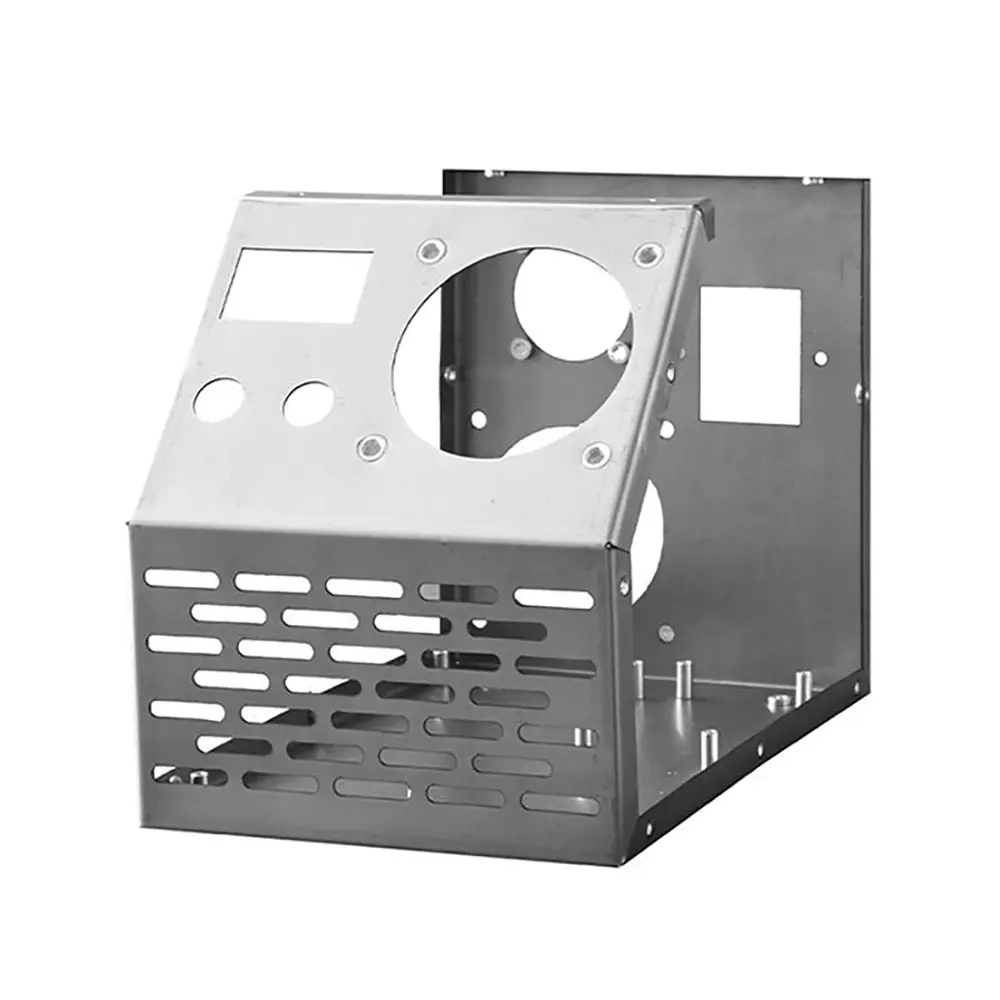
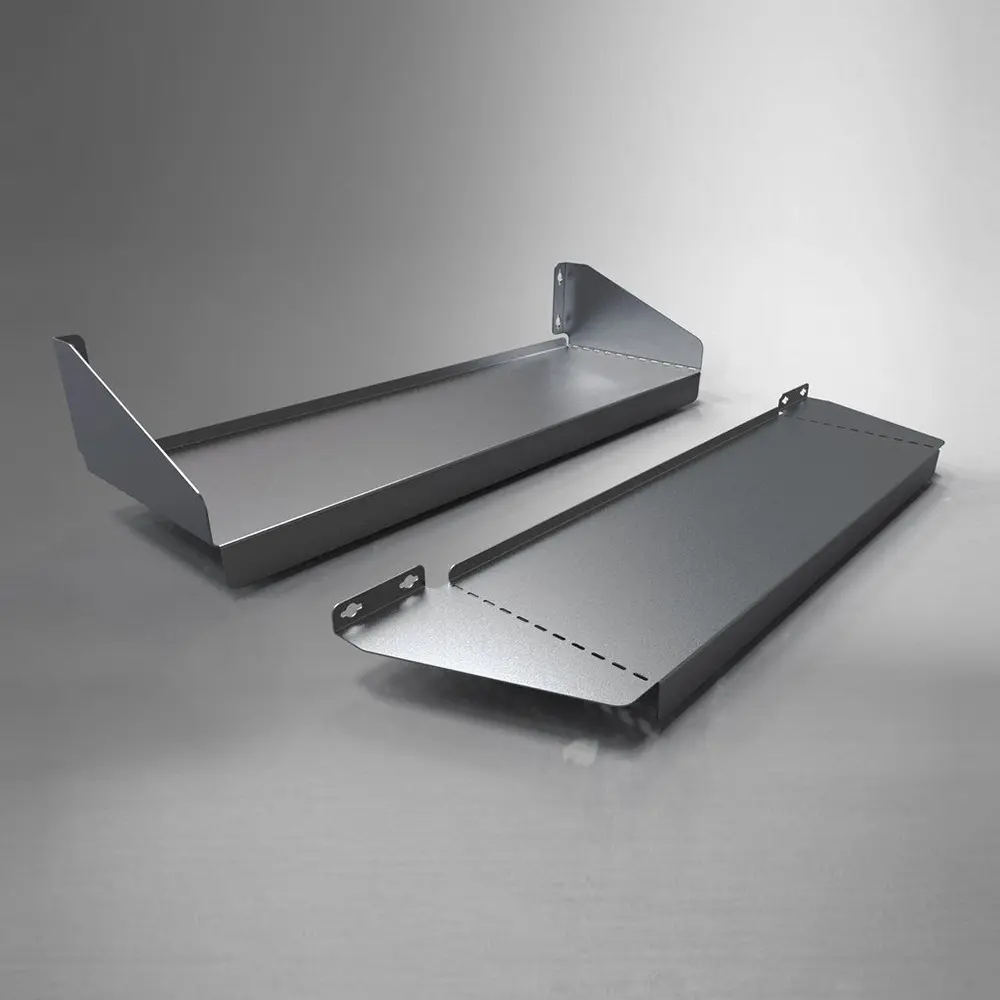
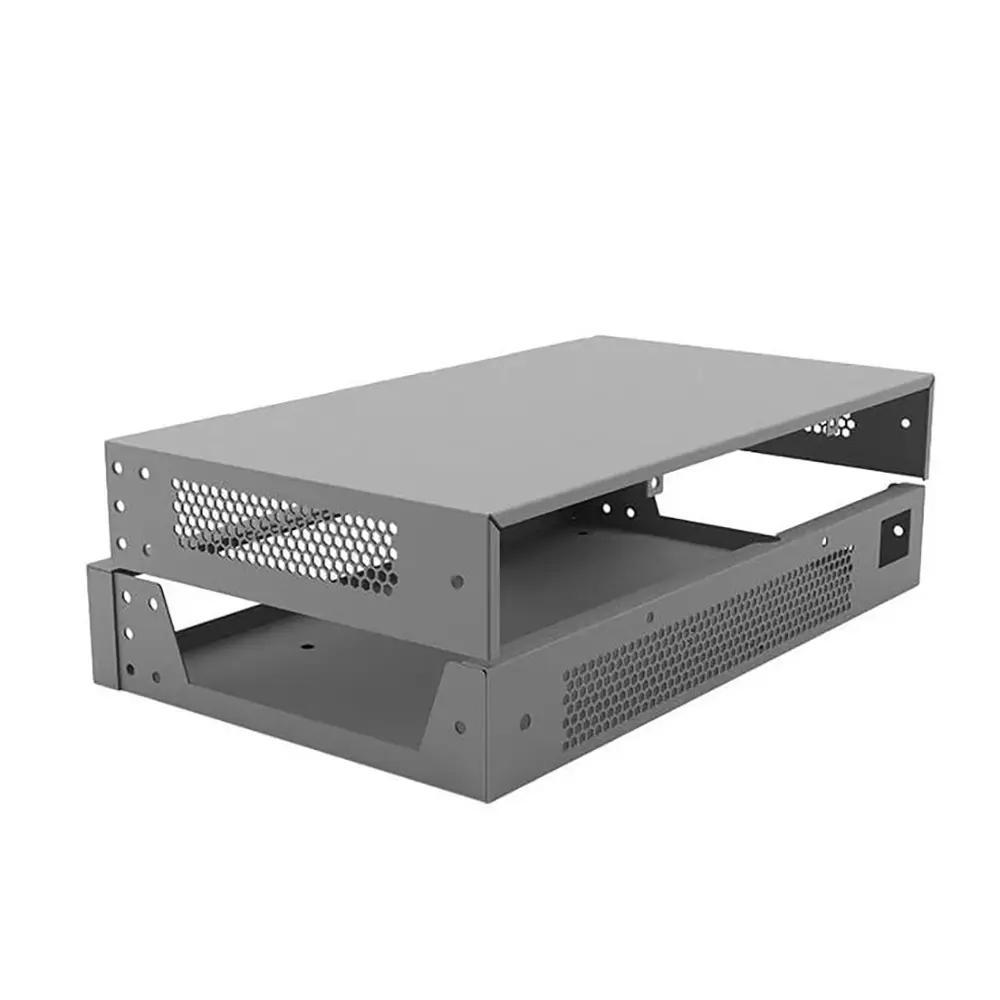
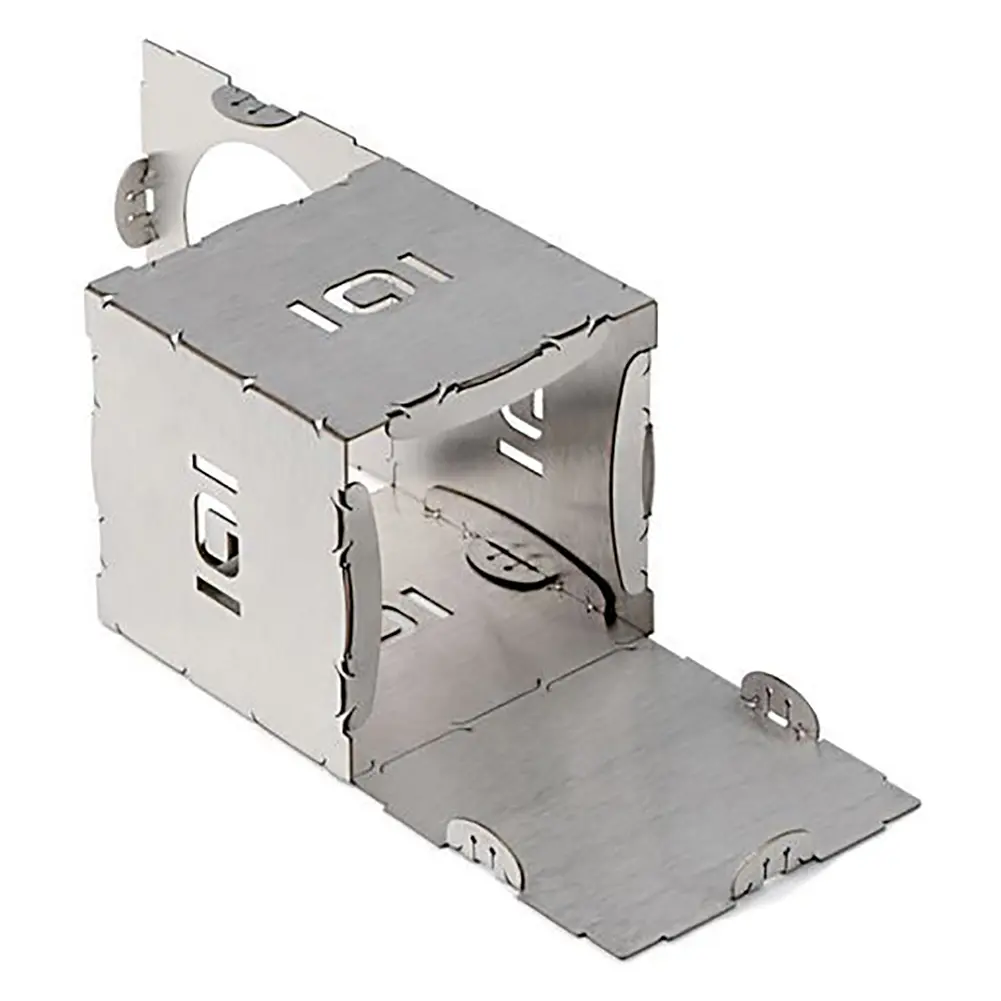
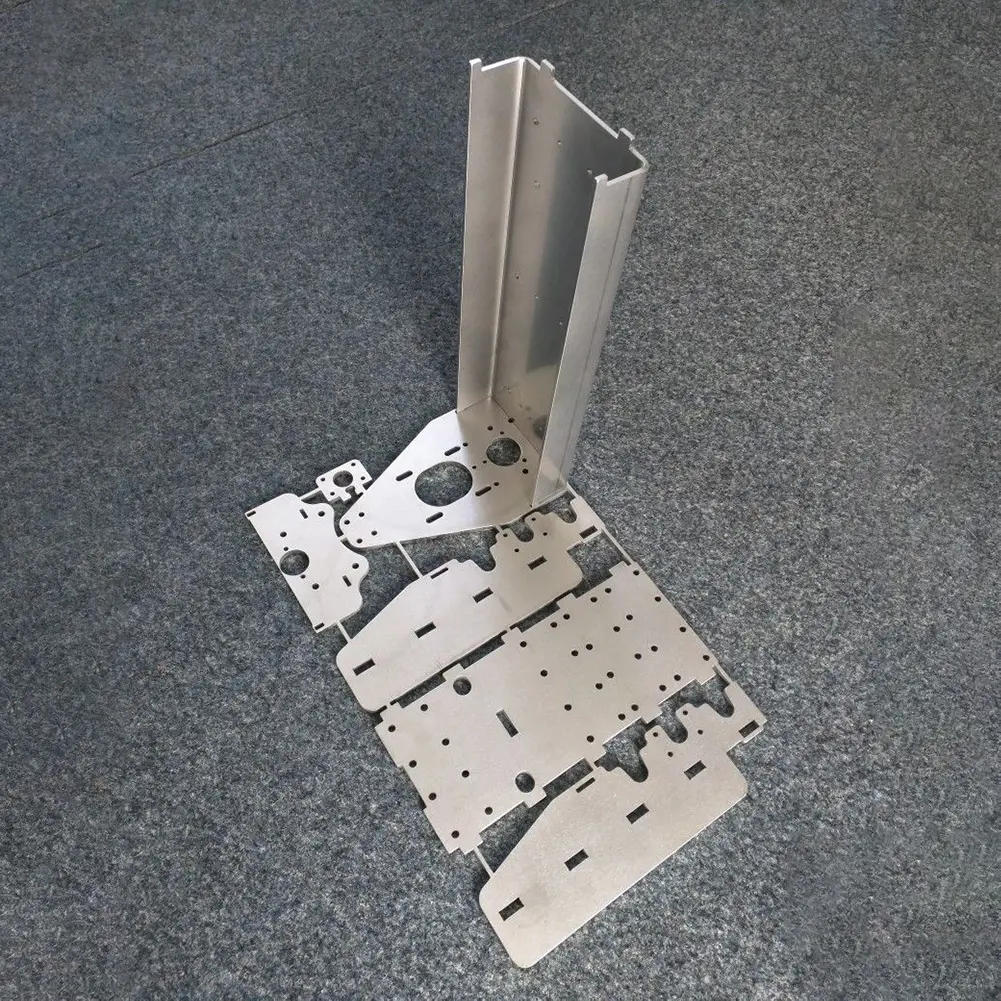
This sheet metal laser cutting project demonstrates how a fiber laser cutting machine transforms flat metal sheets into precision-cut components for industrial applications. The project covers the key stages of production, including CAD drawing preparation, material layout and nesting, laser cutting, and finished-part inspection. By cutting mounting holes, slots, and custom contours, the machine helps produce metal components with consistent shapes and accurate dimensions, ready for subsequent fabrication and assembly.
Related models
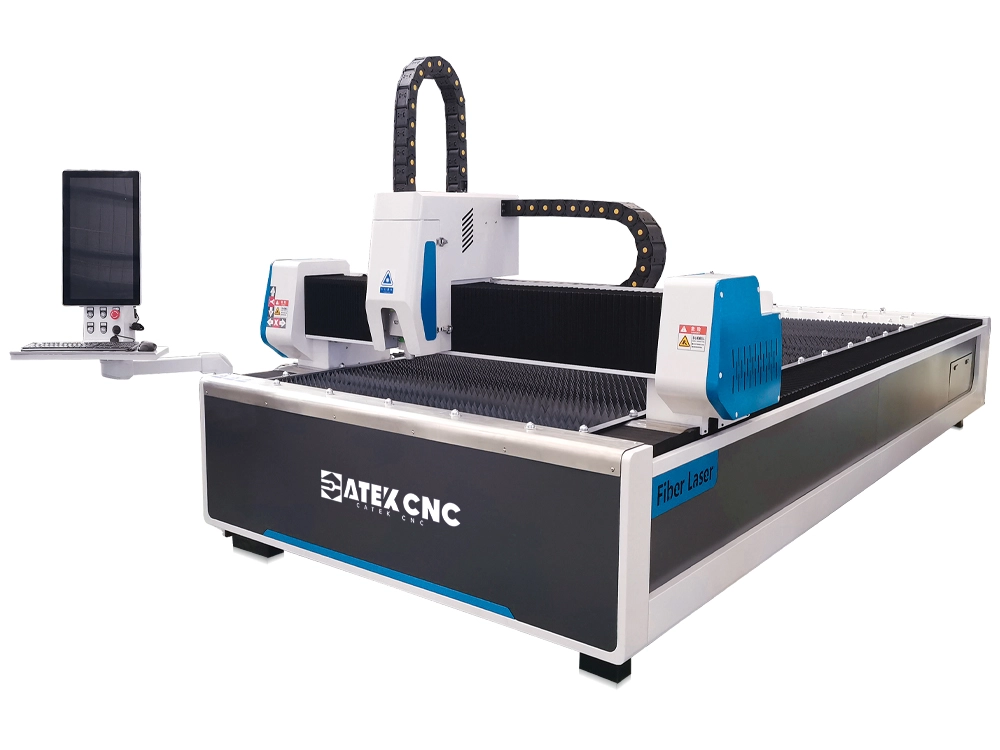
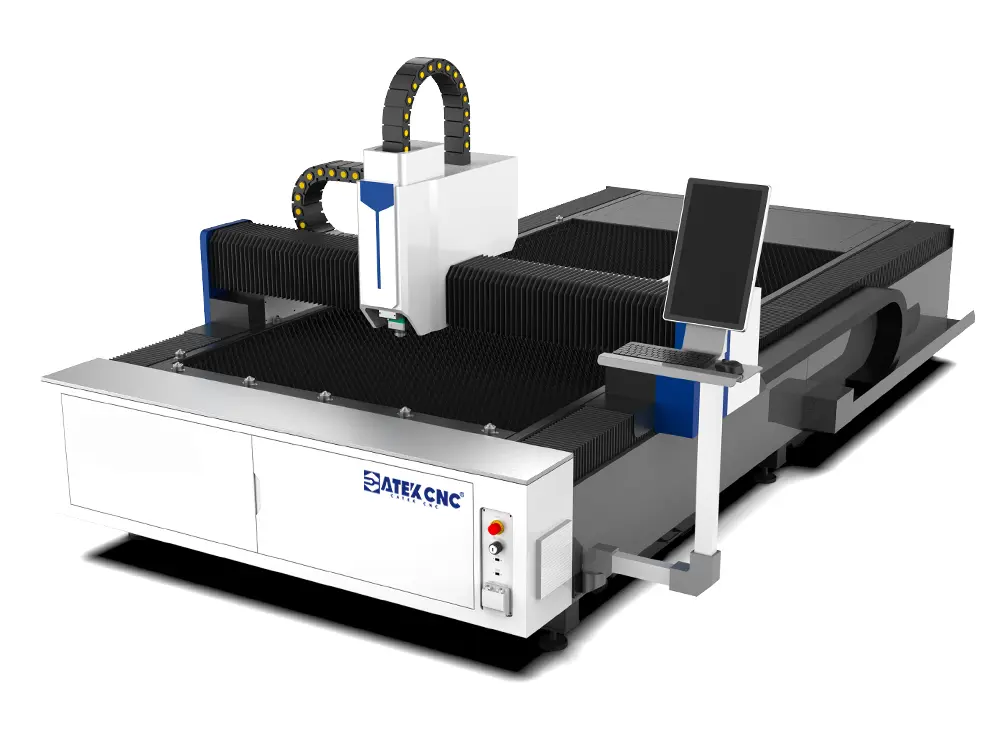
Sheet metal fabrication requires more than separating a metal sheet into individual pieces. Each component must be cut to the required dimensions, with the correct outer contour, mounting holes, slots, and other features needed for subsequent bending, welding, or assembly. When a workshop produces different parts from the same sheet, the cutting process must also balance material utilization, processing efficiency, and finished-part quality.
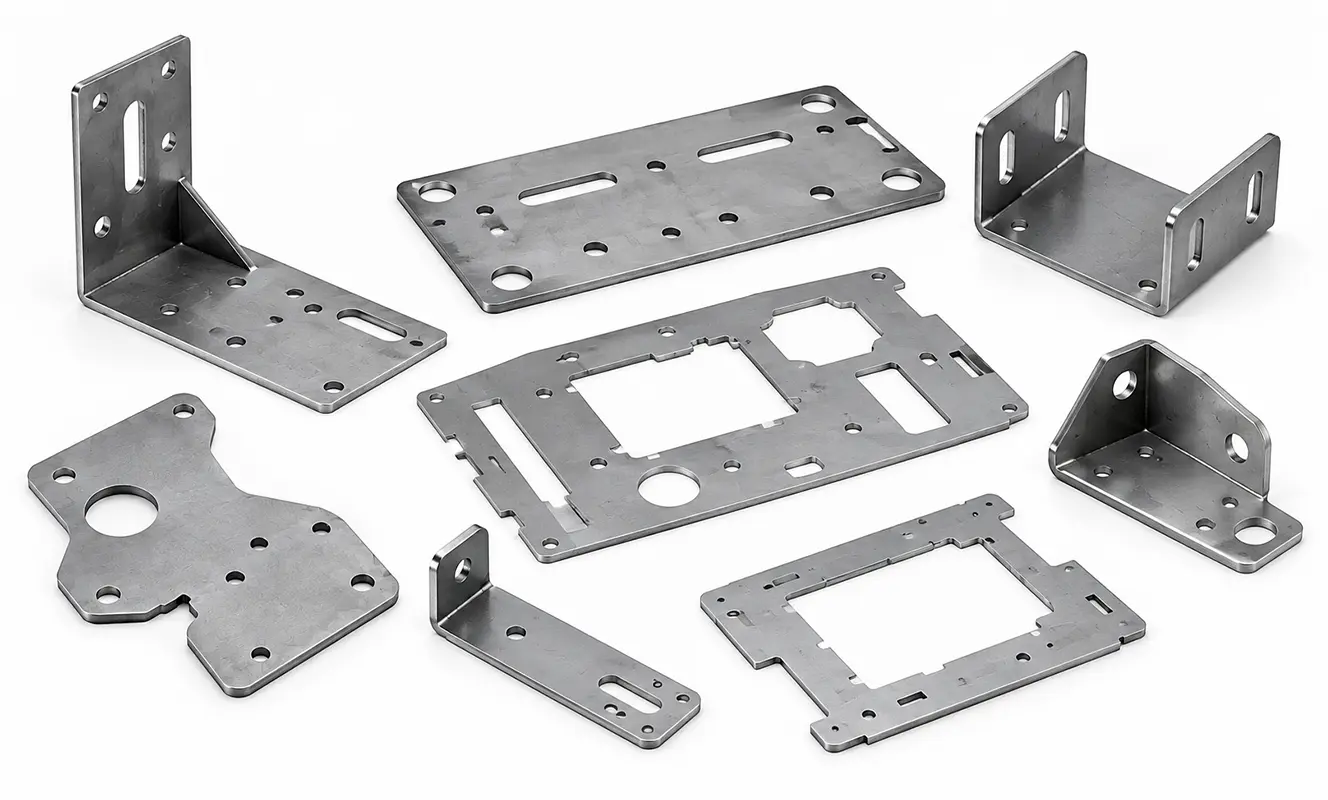
In this sheet metal laser cutting project, we demonstrate how the CATEKCNC fiber laser sheet cutting machine can be used to process flat metal sheets into a variety of components, including mounting plates, support brackets, and equipment panels.
The project follows a complete workflow, from preparing the CAD drawings and arranging the parts to setting up the machine, cutting the metal, and inspecting the finished components. It also explains how CNC programming and a suitable cutting configuration help manufacturers handle different part geometries within a single production workflow.
For workshops looking for a fiber laser cutting machine for sheet metal fabrication, this project provides a practical reference for understanding the machining process and selecting equipment for similar applications.
I. Project Overview: Cutting Multiple Sheet Metal Parts from Flat Metal Sheets
The machining task is to produce several types of metal components from flat carbon steel sheets. Instead of cutting only one rectangular workpiece, the job involves multiple parts with different shapes and machining requirements.
The component designs include rectangular mounting plates, L-shaped support brackets, panels with mounting holes, and parts with irregular outer contours. Some components require straight-line cutting, while others need circular holes, elongated slots, or rectangular openings.
These features are common in general metal fabrication, machinery manufacturing, and equipment enclosure production.
1. Main Processing Requirements
The project focuses on five key requirements.
First, accurate contour cutting. Each component must follow its design drawing so that its dimensions and shape are suitable for the intended application.
Second, consistent hole and slot positions. Mounting holes and openings must be positioned correctly to accommodate bolts, fasteners, cables, or other components during assembly.
Third, flexible processing of different parts. The machine should be able to switch between different component designs by loading the corresponding CNC program, without requiring a dedicated physical cutting tool for each shape.
Fourth, efficient use of sheet material. Multiple parts should be arranged within the available sheet area to reduce unnecessary scrap while maintaining suitable spacing between cutting paths.
Finally, preparation for downstream operations. The finished components must be suitable for subsequent processes such as bending, welding, surface finishing, or mechanical assembly, depending on their design.
2. Project Workflow
To meet these requirements, the sheet metal laser cutting process is organized into the following stages:
- Confirm the material, sheet dimensions, and component drawings.
- Prepare the CAD files and check the dimensions of each part.
- Arrange multiple components using nesting software.
- Load the sheet and configure the fiber laser cutting machine.
- Perform a test cut and verify the cutting quality.
- Cut the outer contours, mounting holes, and other openings.
- Inspect the finished components and prepare them for subsequent processing.
Each stage affects the final result. A well-prepared cutting file cannot compensate for unsuitable laser parameters, and a properly configured machine cannot produce dimensionally correct parts if the original drawing contains errors.
The goal is therefore to coordinate drawing preparation, CNC programming, machine setup, and quality inspection as one complete manufacturing workflow.
II. Project Equipment: CATEKCNC A3 Pro Fiber Laser Sheet Cutting Machine
For this application, the reference equipment is the CATEKCNC A3 Pro fiber laser sheet cutting machine. The A3 Pro is designed for processing flat metal sheets and can be configured for different material thicknesses and production requirements. Its standard working area is 3000 × 1500 mm (10 × 5 ft), making it suitable for many conventional sheet metal fabrication tasks. Larger working areas are also available as customized options.
The machine supports laser power configurations ranging from 1,500 W to 20,000 W on the referenced product page. The appropriate configuration depends on the materials, thicknesses, required cutting quality, and production objectives of the application.
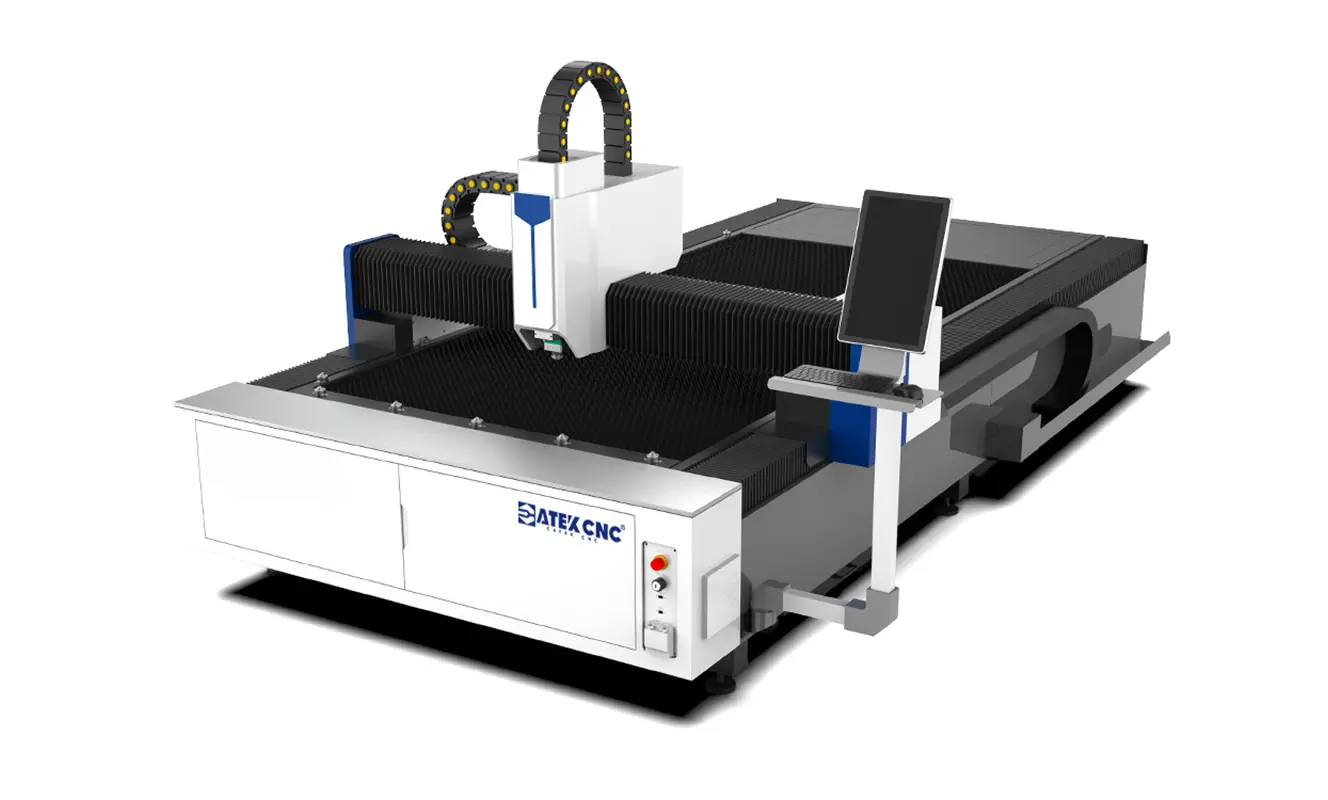
1. Why the A3 Pro Fiber Laser Cutting Machine Fits This Type of Processing Task
Several features of the A3 Pro fiber laser sheet cutting machine are relevant to this project.
A suitable working area for standard sheet metal fabrication
The standard 3000 × 1500 mm(10 × 5 ft) worktable accommodates many commonly used metal sheet sizes. This allows manufacturers to arrange different components on one sheet rather than processing every part individually.
For workshops working with larger panels, the working area can be customized according to the actual sheet dimensions.
CNC control for different component geometries
The fiber laser cutter uses a BOCHU laser cutting control system with CypCut software in the referenced configuration. These tools support drawing preparation, cutting-path management, and process parameter adjustment.
The exact control system and software configuration should be confirmed for the selected laser power and machine specification.
Automatic nesting for material layout
Automatic nesting helps arrange multiple components within the available sheet area. For a job containing different brackets, mounting plates, and panels, this can simplify layout planning and improve material utilization.
The actual result depends on the shapes, quantities, cutting clearances, and nesting strategy.
A rigid machine structure for stable processing
The A3 Pro fiber laser sheet cutter uses a reinforced welded machine bed with stress-relief treatment. Its structure is designed to resist deformation and support stable motion during repeated cutting operations.
This is important for workshops that process multiple components over extended production runs, although actual cutting accuracy also depends on machine calibration, material condition, and process parameters.
2. Selecting the Appropriate Laser Power
Before machining begins, the laser power must be matched to the material and thickness.
For example, cutting relatively thin carbon steel sheet involves different process requirements from cutting thicker steel plate. The appropriate power, cutting speed, focus position, and assist gas must be selected together rather than independently.
A higher-power configuration may be appropriate when the application requires greater cutting capacity or higher throughput on thicker materials. For thinner sheets, a suitable lower-power configuration may meet the cutting requirements while keeping operating costs under control.
For this project, the final configuration should be determined from the actual sheet thickness, part geometry, and desired edge quality.
A cutting test using the intended material is the most practical way to verify whether the selected configuration meets the application's requirements.
III. Preparing the Metal Sheets and Cutting Drawings
Before the machine starts cutting, the operator must prepare both the physical material and the digital cutting files.
This stage is important because errors in material selection, drawing dimensions, or part layout can affect every component produced during the job.
1. Confirming the Material and Sheet Dimensions
The first step is to identify the metal material and confirm its thickness and overall dimensions.
For the example task, carbon steel sheet is used to produce mounting plates, brackets, and equipment panels.
Before loading the sheet, the operator should check:
- Whether the material grade matches the drawing or production specification.
- Whether the sheet thickness is correct.
- Whether the sheet dimensions are suitable for the machine's working area.
- Whether the sheet has excessive warping, surface contamination, or visible damage.
- Whether the material is compatible with the selected laser cutting process.
A flat, correctly sized sheet is easier to position and process consistently. If the sheet is significantly warped, its surface height may vary across the cutting area, potentially affecting the relationship between the cutting head and the material.
Material traceability may also be necessary when the components must meet specific production or quality requirements.
2. Checking the CAD Drawings
Once the material is confirmed, the operator prepares the drawings for CNC cutting.
Each component should have a complete profile with the required dimensions and internal features.
For a mounting plate, the drawing may define the overall rectangular shape and the positions of several bolt holes. A support bracket may require a more complex outline with rounded corners and elongated slots. An equipment panel may contain multiple openings for switches, connectors, or other installed components.
Before importing the drawings into the cutting software, the operator should check the following details.
Closed contours: The outer profile should be complete, without unintended gaps or overlapping lines that could interrupt the cutting path.
Hole dimensions: The diameters of circular holes and the dimensions of slots must match the design requirements.
Part orientation: The orientation of each part should be considered when arranging it on the sheet, particularly if the material has a directional finish or the component has orientation-dependent features.
Units and scale: The drawing units and imported dimensions must be consistent. An incorrect unit conversion can produce parts that are much larger or smaller than intended.
Duplicate geometry: Duplicate lines or overlapping contours should be removed because they may cause repeated cutting along the same path.
These checks should be completed before the CNC program is generated. Correcting drawing errors at this stage is generally easier than identifying their effects after cutting.
3. Importing the Drawings into the Cutting Software
After checking the drawings, the operator imports the files into the machine's supported cutting software.
The software is used to arrange the parts, define the cutting sequence, and configure the relevant machining parameters.
The operator should confirm that the imported geometry matches the original drawings before generating the final program.
If a job contains several part types, the components can be organized according to their dimensions and quantities. This makes it easier to manage the layout and verify that the required number of parts will be produced.
For repeat orders, the validated cutting files can also serve as a starting point for future production, provided that the material and process requirements remain compatible.
IV. Optimizing the Sheet Layout Before Cutting
Once the component drawings are ready, the next task is to arrange them on the metal sheet.
This process, known as nesting, is particularly important when a job contains many parts with different shapes and dimensions.
1. Arranging Multiple Components on One Sheet
In this project, the sheet may contain rectangular mounting plates, L-shaped brackets, and smaller panels with internal openings.
Rather than placing each part separately, the operator uses the available sheet area to arrange the components in a suitable layout. The objective is to fit as many required parts as practical while maintaining the necessary spacing and respecting the cutting requirements.
A good layout considers:
- The dimensions of the available sheet.
- The number of each component required.
- The shape and orientation of individual parts.
- The distance between adjacent cutting paths.
- The cutting head's movement and cutting sequence.
- The material's condition and any directional requirements.
Automatic nesting can help generate an efficient layout, but the result should still be reviewed before machining. For example, a layout that looks compact may not be suitable if the spacing between parts is insufficient or if the cutting sequence could cause a narrow component to become unstable before its surrounding material is removed.
2. Considering Kerf and Part Spacing
During laser cutting, material is removed along the cutting path, creating a narrow kerf. The width of this kerf depends on the material, thickness, laser parameters, focus position, and other process conditions.
When arranging parts, the cutting software must account for the cutting process so that adjacent components are not unintentionally damaged or cut into each other.
The operator should also consider whether small parts need micro-joints or other holding strategies to prevent them from shifting or tipping during machining.
3. Planning the Cutting Sequence
After the layout is finalized, the operator reviews the cutting order.
In many sheet metal applications, internal features are cut before the outer contour so that the workpiece remains supported by the surrounding sheet while the holes and slots are processed.
For example, a mounting plate may require several circular holes and one rectangular opening. Cutting these internal features before separating the plate from the sheet can help maintain its position during machining.
However, the ideal sequence depends on the part design and the software's cutting strategy. It should be reviewed for each job rather than treated as an inflexible rule.
The software may also support features such as automatic nesting, fly cutting, seamless piercing, and micro-joint cutting, depending on the machine configuration. These functions can help organize the cutting process and reduce unnecessary movements when used appropriately.
V. Setting Up the Fiber Laser Cutting Machine
With the material and CNC program prepared, the next step is to set up the fiber laser cutting machine for the actual sheet metal laser cutting task.
Proper setup is essential for safe operation, accurate cutting, and consistent processing when using a CNC laser cutting machine to manufacture sheet metal components.
1. Loading and Positioning the Metal Sheet
The operator loads the carbon steel sheet onto the machine's working table, using suitable lifting equipment or an automated loading system when required by the sheet's weight and dimensions.
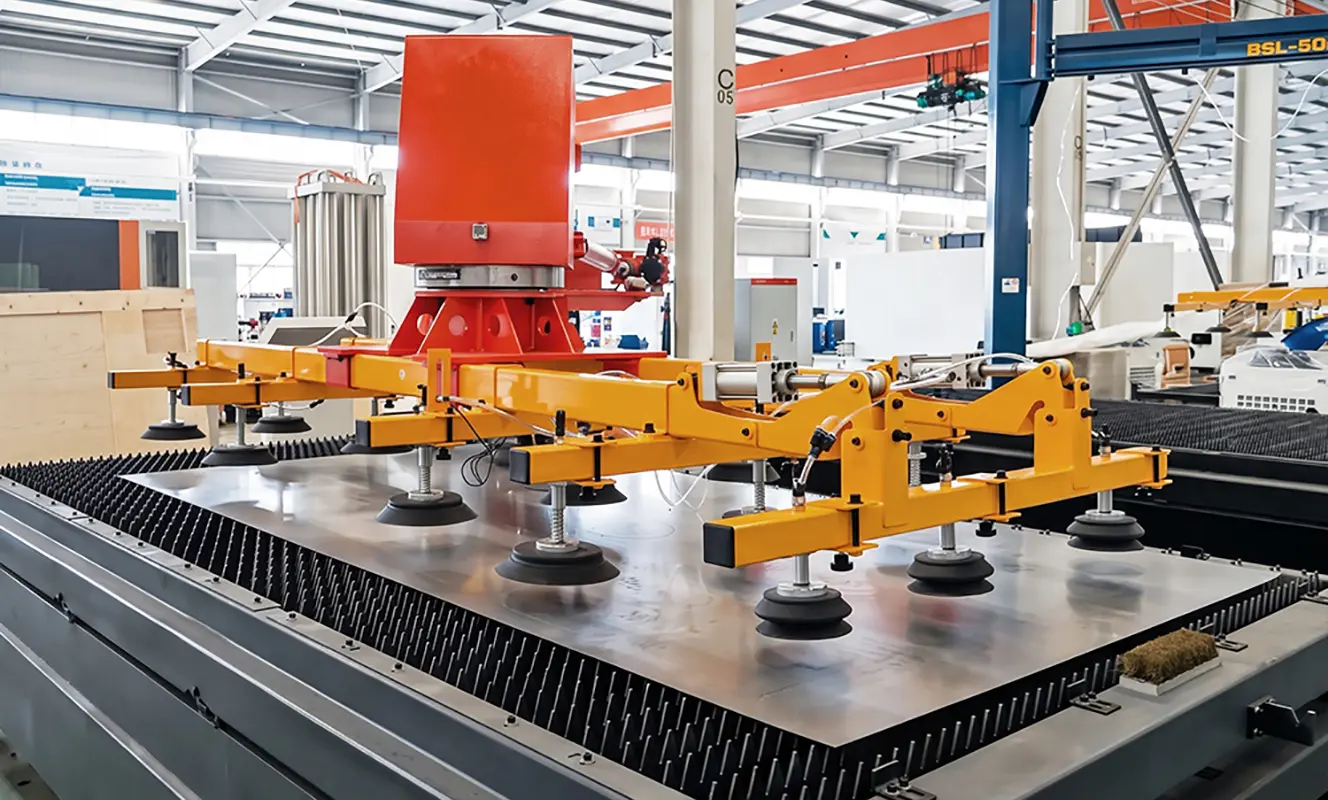
The sheet should be supported securely on the cutting table, with its position checked against the machine's working area.
For the CATEKCNC A3 Pro, the modular tooth-type slat table supports the material while allowing cut parts and scrap to be separated from the supporting surface. Auxiliary loading rollers can also help move metal sheets into the working area. An optional cantilever loading system is available for applications requiring more automated sheet handling.
Before starting the laser cutting metal sheets process, the operator should verify that:
- The sheet is positioned within the available working area.
- The sheet is adequately supported on the cutting table.
- The sheet surface is within the cutting head's operating range.
- No loose material obstructs the cutting path.
The programmed layout corresponds to the actual sheet position.
Correct positioning helps the fiber laser cutting machine for sheet metal follow the programmed cutting paths accurately and prevents the cutting head from following paths outside the material.
2. Checking the Cutting Head and Machine Condition
Before running the CNC program, the operator should inspect the relevant components of the metal sheet cutting machine. The checks may include the condition of the cutting head's protective window, the nozzle, the assist-gas supply, the cooling system, and the machine's motion system.
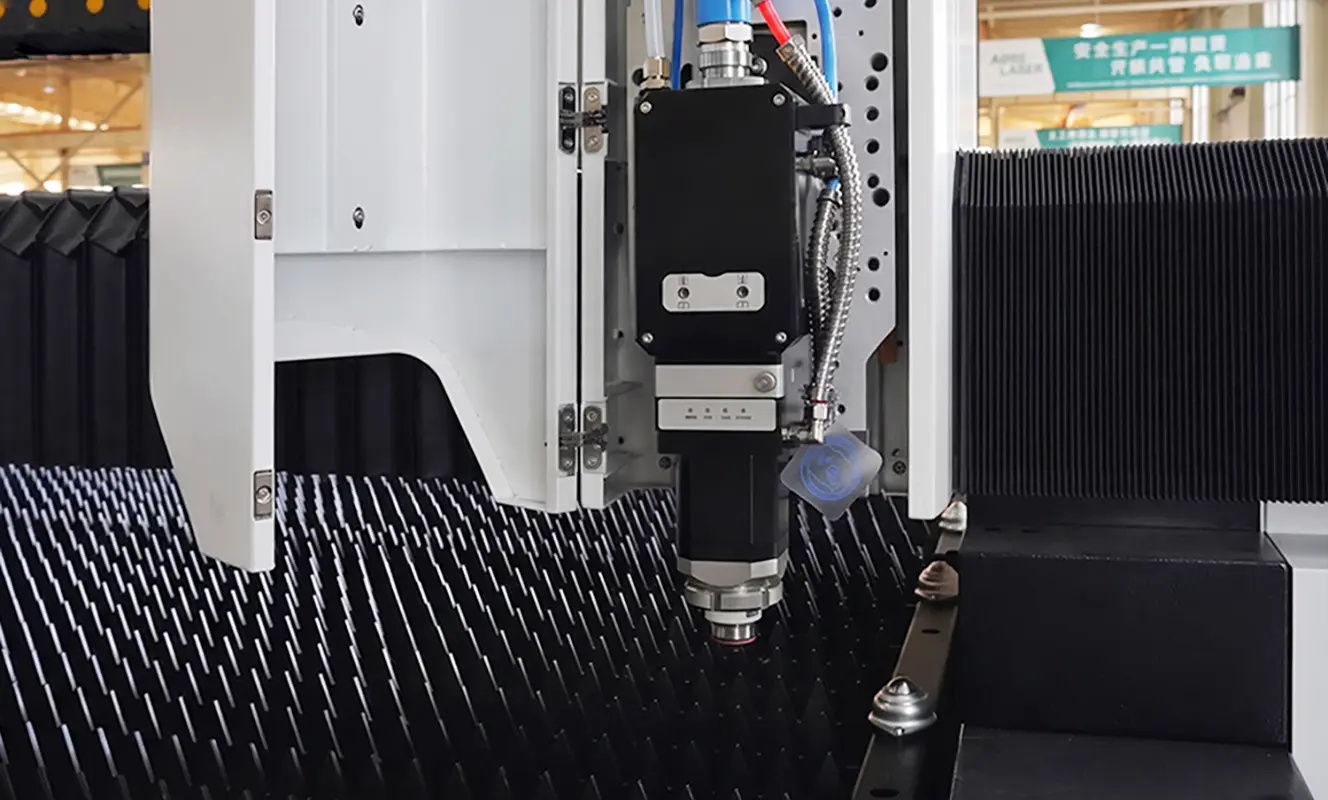
The cutting head must be suitable for the selected laser power and material-processing requirements. Damaged or contaminated optical components can affect cutting performance and should be handled according to the manufacturer's maintenance instructions. The operator should also confirm that the machine's safety devices, fume extraction system, and other required protective systems are operating correctly.
The CATEKCNC A3 Pro configuration includes a fume extraction system for collecting smoke and fumes generated during cutting. Effective extraction is particularly important when laser cutting metal parts from coated or contaminated materials, as the process may release airborne contaminants.
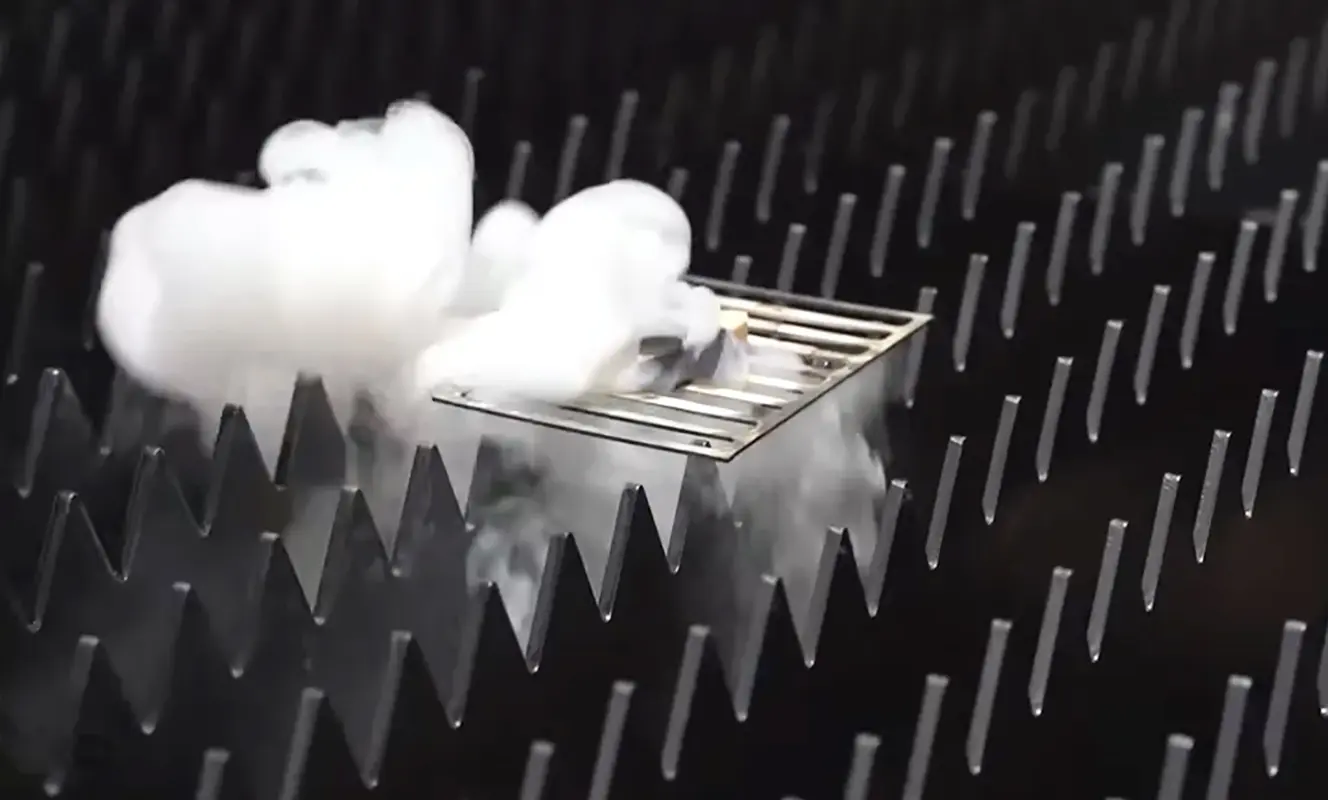
Checking these components before operation helps maintain stable performance and reduces the risk of interruptions during CNC sheet metal cutting.
3. Setting the Cutting Parameters
The cutting parameters must be selected according to the material type, thickness, and required cutting quality. For a fiber laser cutting machine for sheet metal, the main variables include:
Laser power: Determines the energy available for cutting and must be appropriate for the material thickness and type.
Cutting speed: Influences the interaction time between the laser beam and the material. Excessive speed can cause incomplete cutting, while an unsuitable low speed can increase heat input and affect edge quality.
Focus position: Affects how the laser energy is distributed through the material thickness and influences the resulting cut.
Assist gas: Helps remove molten material from the cutting area and affects the cutting edge and overall processing quality.
Gas pressure: Must be matched to the material, thickness, nozzle, and cutting strategy.
Nozzle condition and height: Affect the relationship between the cutting head and the workpiece and should be checked before processing.
These parameters are interdependent. Changing one parameter may require adjustments to others to achieve the desired results. For this reason, operators should select an appropriate parameter set for the specific material and thickness, then verify the results through a test cut. There is no single universal setting suitable for every laser cutting metal sheets application.
4. Performing a Test Cut
Before processing the full sheet, a test cut helps confirm whether the selected parameters are suitable for the actual sheet metal laser cutting project. Whenever practical, the test should use the same material type and thickness as the production sheet.
The operator checks whether the material is fully separated and examines the cut edge for excessive dross, roughness, or signs of incomplete cutting. A simple test pattern can also help evaluate whether the CNC laser cutting machine can produce small mounting holes and narrow slots to the required standard.
If the result is unsuitable, the operator should review the cutting parameters and machine condition before continuing. For example, excessive dross may indicate that the cutting speed, focus position, assist gas, or other cutting conditions need adjustment. The cause should be identified rather than changing multiple parameters without a clear plan.
Once the test cut meets the requirements, the operator can proceed with the main program to cut the required sheet metal parts.
This preparation helps the fiber laser cutting machine produce the intended contours, holes, and slots more consistently during the main cutting process.
VI. Executing the Sheet Metal Laser Cutting Process
With the CNC program ready, the fiber laser cutting machine begins processing the metal sheet according to the programmed cutting paths. For this sheet metal laser cutting project, the process involves cutting internal features, producing external profiles, and separating the finished components from the sheet.
1. Cutting Mounting Holes and Slots
The cutting process begins with the internal features of each component, including mounting holes, elongated slots, and other openings required for assembly.
For example, mounting plates may require circular holes for bolts, while support brackets may contain elongated slots for positioning and adjustment.
The CNC laser cutting machine follows the programmed paths to produce these features according to the dimensions and positions specified in the CAD drawings.
Cutting internal features first helps keep the components supported by the surrounding sheet material, reducing the risk of small parts shifting or falling during subsequent operations.
2. Cutting the Outer Contours
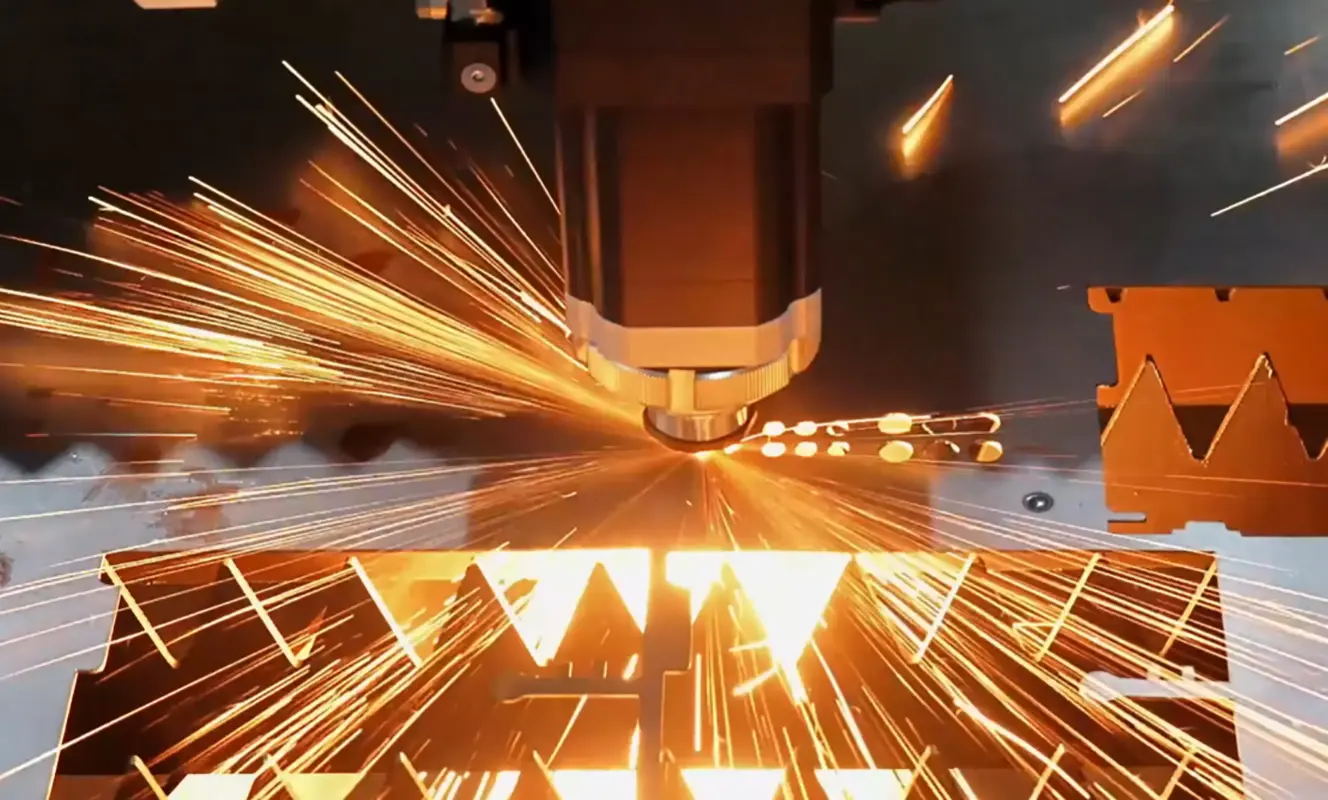
After the internal features have been completed, the machine cuts the external profiles of the components.
These profiles may include rectangular mounting plates, L-shaped brackets, support plates, and panels with customized outlines. The CNC system guides the laser cutting head along each programmed contour until the component is separated from the surrounding sheet.
For this step, the fiber laser cutting machine for sheet metal must follow the designed geometry accurately to ensure that the finished parts have the required dimensions and shapes.
The cutting sequence should also account for part stability, particularly when processing small components or complex outlines.
3. Processing Multiple Components from One Sheet
The machine continues following the nesting layout to process the remaining components on the sheet.
A single sheet may contain mounting plates, brackets, and panels of different sizes. By executing the programmed cutting paths in sequence, the machine can produce multiple laser-cut metal parts in one job.
The CATEKCNC A3 Pro supports automatic nesting and fly-cutting functions in its referenced control and software configuration. Depending on the selected configuration and cutting layout, these functions can help optimize part arrangement and reduce unnecessary movements during laser cutting metal sheets.
The cutting layout and sequence should be planned to maintain adequate support for the components throughout the process.
4. Removing and Sorting the Finished Parts
Once all programmed cutting paths have been completed, the operator removes the finished components from the working table and separates them from the remaining scrap material.
The parts are then sorted according to their shapes, dimensions, or intended applications. Components requiring additional fabrication can be transferred to the next production stage, such as bending, welding, or assembly.
At this point, the sheet metal laser cutting process is complete, and the components are ready for dimensional and visual inspection.
VII. Inspecting the Finished Sheet Metal Parts
After cutting, the operator checks the finished components to ensure they meet the requirements of the original drawings.
The inspection mainly focuses on three aspects:
- Dimensional accuracy: Check the overall dimensions and shape of each component.
- Hole and slot quality: Confirm that mounting holes and slots are correctly positioned and suitable for the intended assembly.
- Cutting edge quality: Check for excessive dross, rough edges, or incomplete cuts.
Qualified parts can then be sorted and transferred to the next production stage, such as bending, welding, or assembly.
VIII. Results of the Sheet Metal Laser Cutting Project
This sheet metal laser cutting project demonstrates how a fiber laser cutting machine can process flat metal sheets into components with different contours, mounting holes, and slots. By combining internal feature cutting and outer contour cutting in one CNC program, manufacturers can simplify the cutting process and produce parts ready for subsequent fabrication.
The actual cutting quality and production efficiency depend on the material, sheet thickness, machine configuration, and cutting program.
IX.Conclusion
This sheet metal laser cutting project shows how a fiber laser cutting machine can turn flat metal sheets into precisely shaped components with mounting holes, slots, and customized contours. By following a well-planned cutting sequence, manufacturers can simplify sheet metal processing and prepare parts for subsequent bending, welding, and assembly.
The CATEKCNC A3 Pro provides a practical solution for manufacturers looking for a reliable fiber laser cutting machine for sheet metal production. With a 3000 × 1500 mm standard working area and customizable configurations, it can accommodate different material types and production requirements.
Other Projects
CO2 Laser Cutting Machine for Wooden Puzzles
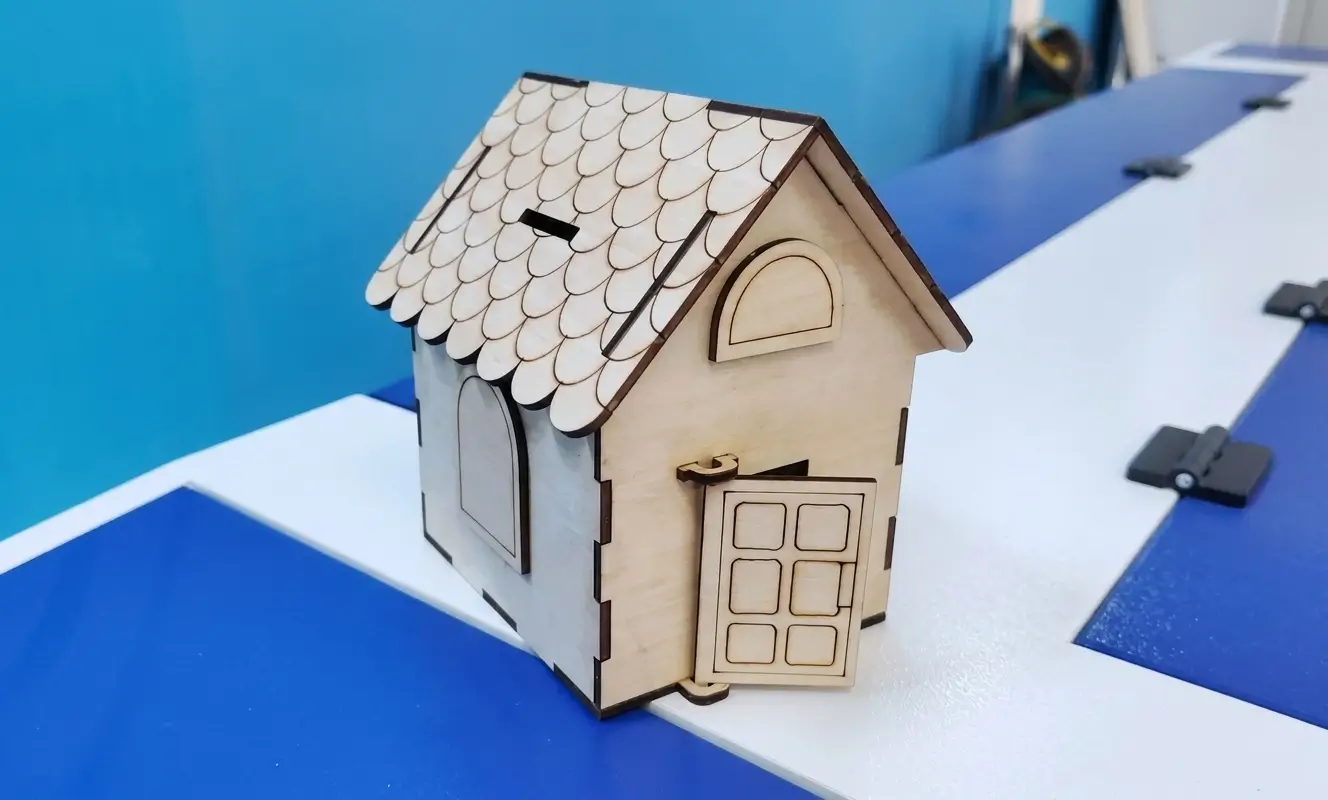
Wooden puzzles are increasingly popular in education, gifts, and creative industries due to their durability and design flexibility. To achieve high precision, clean edges, and consistent quality, a CO2 Laser Cutting Machine has become the ideal solution for wooden puzzle production. This project showcases how CO2 laser cutting and engraving technology is used to efficiently manufacture wooden puzzles, from design to finished products, while ensuring accuracy, scalability, and customization.
Sheet Metal Laser Cutting Project: From Metal Sheets to Finished Parts
This sheet metal laser cutting project demonstrates how a fiber laser cutting machine transforms flat metal sheets into precision-cut components for industrial applications. The project covers the key stages of production, including CAD drawing preparation, material layout and nesting, laser cutting, and finished-part inspection. By cutting mounting holes, slots, and custom contours, the machine helps produce metal components with consistent shapes and accurate dimensions, ready for subsequent f...

Making Stainless Steel Hollow Letter Light Box Sign by Laser-Cut
The visual effect of the hollow light box is similar to that of the metal backlight characters, but it seems to be better in terms of its atmosphere. Whether it is placed on the door or indoors, it is very eye-catching. The hollow light box sign is generally a whole. The graphic content is combined in the form of hollow metal and a transparent plate glued inside. In the bright light state, only the graphic information that needs to be displayed will be transparent. The advertising effect is very...
Fiber Laser Cutting Machine for Metal Tube Cutting Project
This project focuses on the application of a fiber laser cutting machine for high-efficiency metal tube cutting in industrial production. By utilizing the CATEKCNC fiber laser tube cutter, the client successfully achieved precise processing of round, square, and rectangular tubes across a range of materials, including stainless steel and carbon steel.Through the integration of advanced CNC fiber laser tube cutting technology, the project significantly improved cutting accuracy, reduced material ...